Live Sports & Events
Best Streaming Service for Sports: How to Choose (2026)
- Date
- Not recorded
- Broadcast window
- Not recorded
- Platform
- Not recorded
- Region restriction
- No restriction noted
Last-verified date not yet recorded for this event.
Best Streaming Service for Sports: How to Choose the Right One
There is no single best streaming service for sports for every household. The right pick depends on which leagues matter most, whether local and regional games are required, how many screens are in use on game day, and how much of a full live-TV bill still feels worth it. Rights packages, regional blackouts, and monthly prices also change often enough that a "best of" ranking from last season can mislead this one.
This guide keeps the focus on choosing a sports streaming service: the decision criteria, the main service types, what major options are built for, how to compare price fairly, and which profile fits which fan. Free league apps can appear as a secondary value option. Illegal streams and single-team workarounds are out of scope.
What to evaluate before you subscribe
Use the same checklist for every candidate. Rank the criteria by what would actually ruin a season if it were missing.
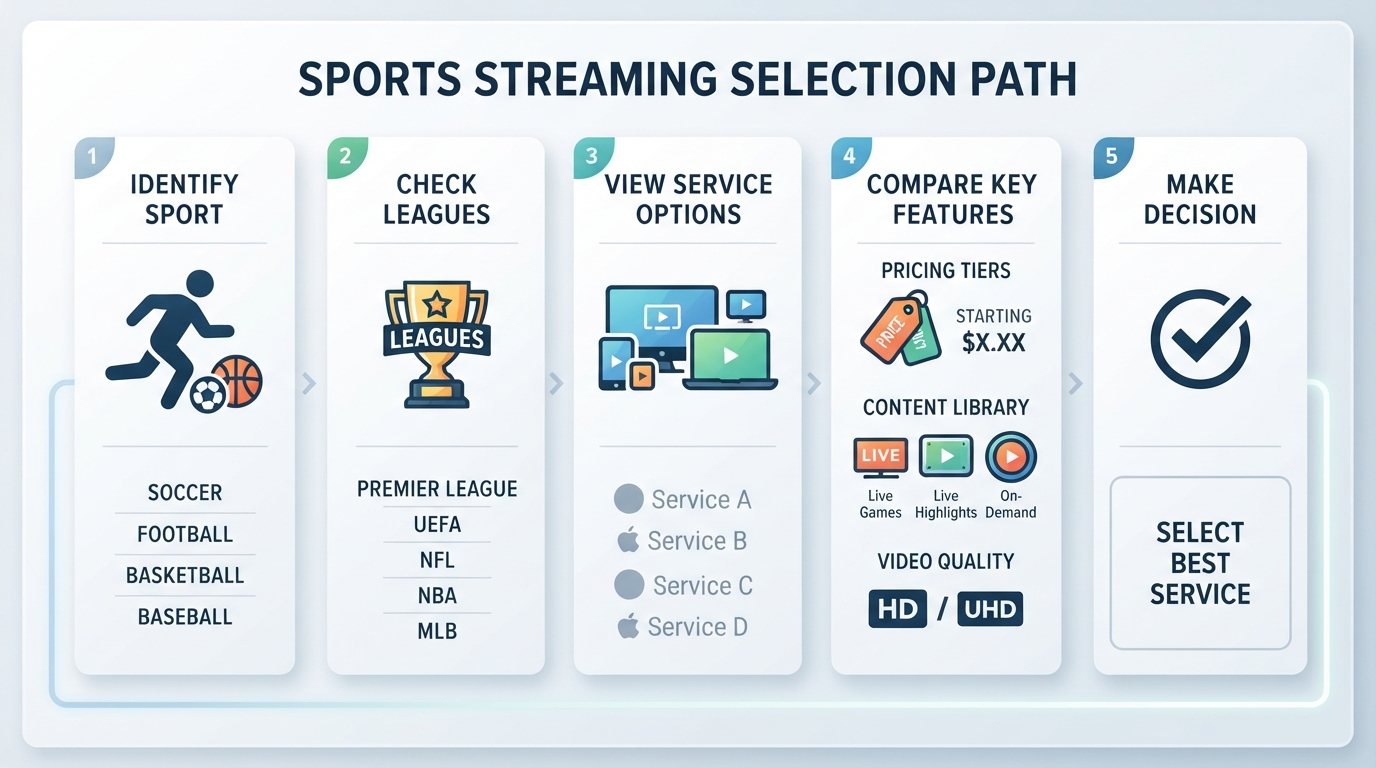
- League and event coverage. Map the sports watched most weeks—not the sports watched twice a year. A service that is excellent for national NFL windows can still miss the college network, soccer package, or conference channel that fills the rest of the calendar.
- Local affiliates and regional sports networks (RSNs). Local ABC, CBS, FOX, and NBC affiliates carry many network games. RSNs still carry a large share of in-market MLB, NBA, and NHL regular-season inventory in many metros. Carriage is ZIP-dependent, so a national "sports" claim is not the same as "my team, every night."
- Live quality and game-day features. Concurrent streams, multiview, stable bitrates during primetime, and a usable DVR matter more on sports nights than on a normal weeknight of scripted TV.
- Price structure. Compare the base plan, sports-oriented plan if one exists, required add-ons (RedZone, out-of-market packages, Spanish-language feeds), and any entertainment bulk that is being paid for only to unlock sports channels.
- Flexibility. Most major live-TV streamers are month-to-month. That matters for seasonal fans who only need a heavy sports stack for football, March Madness, or a playoff run.
- Device fit. Confirm the apps that matter in the living room: smart TV, streaming stick, game console, phone, and tablet. A perfect channel list is useless if the household's main screen is a second-class citizen.
The service types that actually compete
Sports streaming choices usually fall into four buckets. Mixing types is normal; replacing every type with one app is not.
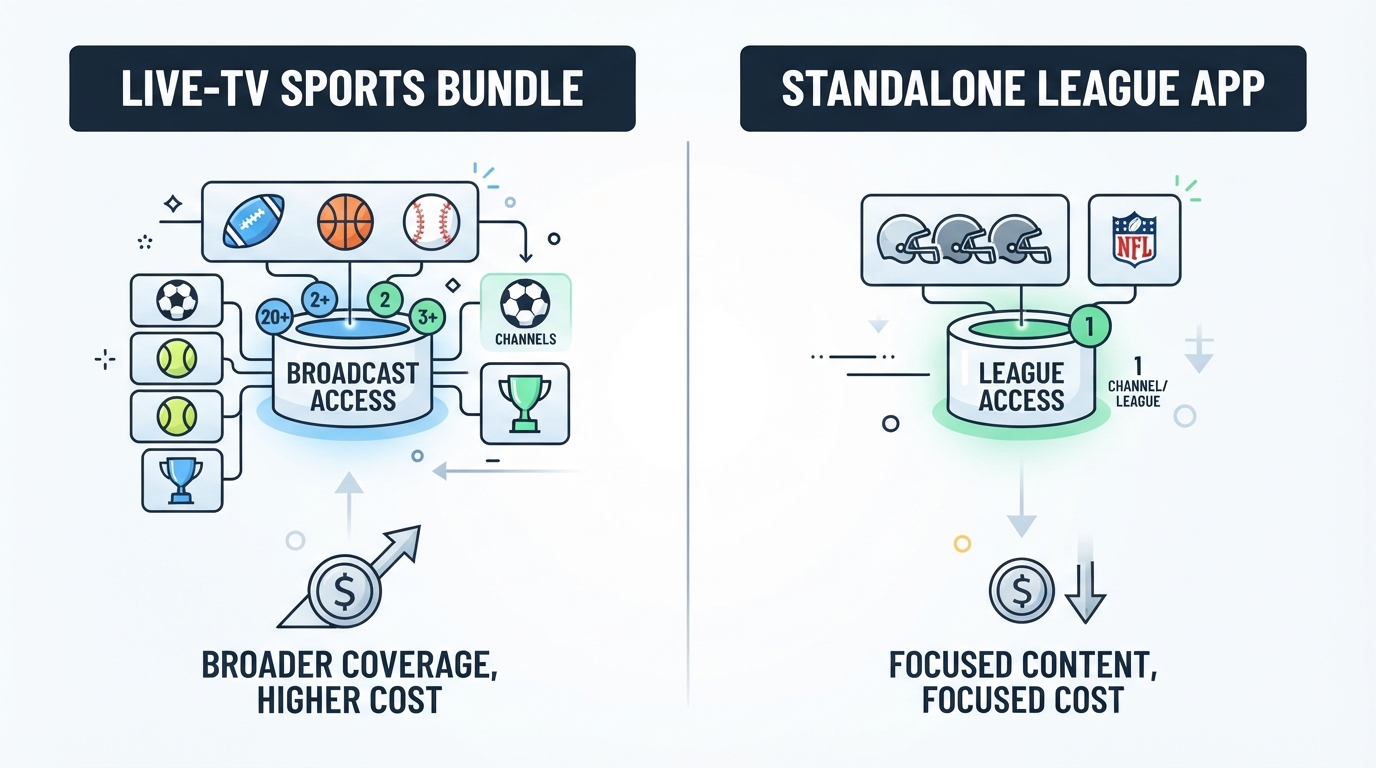
| Type | What it is best at | Typical trade-off |
|---|---|---|
| Full live-TV sports bundles | Broad national sports channels + locals in one bill | Higher monthly cost and more unused channels |
| Slimmer sports-leaning live TV | Core sports channels for less than a full mega-bundle | More gaps in entertainment or local depth |
| Standalone sports apps | One league or one rights holder without a full cable stack | Cannot cover every network game alone |
| Free or low-cost official apps | Occasional free games, highlights, or limited live windows | Incomplete season coverage; not a full replacement |
A sports-only household may still need a live-TV bundle for locals and national windows, then add one or two league apps for exclusives. A multi-sport household often starts with the bundle and only later fills gaps.
Major options and who each is for
YouTube TV
YouTube TV is the default full-stack answer for many multi-league fans. The main plan is positioned around 100+ channels and currently promotes $67.99/mo for the first three months for new users, then $82.99/mo (offer end date listed on the provider site). A dedicated Sports Plan is also listed: about 30+ sports-focused channels with locals, promoted at $54.99/mo for the first 12 months for new users, then $64.99/mo.
The sports-relevant channel set called out on the welcome experience includes locals (NBC, CBS, FOX, ABC) plus ESPN-family and national sports networks, with additional sports channels and ZIP-dependent locals. Game-day tools include Multiview (up to four games at once on supported devices), Key Plays and Stats views, unlimited cloud DVR with recordings kept for nine months, and add-ons such as NFL RedZone with Sports Plus and NFL Sunday Ticket for out-of-market Sunday games. Device coverage is broad across smart TVs, streaming sticks, consoles, phones, tablets, and browsers.
Best for: households that want one primary live-TV sports stack, local network games, and strong game-day multiview.
Hulu + Live TV
Hulu + Live TV packages live channels with Hulu, Disney+, and ESPN access. The live-TV plan with ads is listed at $89.99/mo after a 3-day free trial; a higher tier at $99.99/mo removes ads on the Hulu/Disney+ libraries. Both include ESPN Select, and the page states that extra ESPN Unlimited content is accessible via the ESPN app with Live TV plans. Regional limits and blackouts apply.
Sports channels called out include ESPN, ESPN2, ESPNews, ESPNU, FS1, FS2, NFL Network, MLB Network, Big Ten Network, ACC Network, SEC Network, CBS Sports Network, and Golf Channel, plus the major broadcast networks for many national games. The service markets live games from major college and pro leagues including the NCAA, NBA, NHL, NFL, and more, with unlimited DVR. A paid Sports Add-on can add NFL RedZone and additional niche sports channels.
Best for: fans who already want Hulu/Disney+ entertainment libraries and a strong ESPN-centered live sports layer in one checkout flow.
DIRECTV Stream
DIRECTV Stream competes hard on live TV and regional sports depth. Current marketing highlights a low first-month promotional rate on the Entertainment package for new residential customers, a short free trial, and unlimited streams. The service positions itself as a leader in regional sports networks, with RSNs available in Choice Package or higher depending on ZIP and package. Marketing claims include strong in-market RSN counts and heavy local NBA/MLB inventory relative to competitors, plus multiview for up to four channels.
It also markets live FIFA World Cup 2026 coverage on FOX/FS1 (with Spanish-language options on Telemundo/Universo, subject to market limits). Because RSN carriage is the whole point for many buyers, the ZIP/package lookup on the provider site is more important than any national headline.
Best for: fans whose season hinges on in-market RSN games and who want a live-TV package built around that inventory.
Slimmer live TV and sports-first alternatives
Sports-first live-TV brands (commonly compared alongside YouTube TV and DIRECTV Stream) and smaller à la carte live-TV lineups can undercut a full mega-bundle when a household only needs a tighter channel family—often an ESPN-centered plan, a FOX/NBC sports mix, or a sports-heavy stack with fewer entertainment extras. Exact channel maps, RSN lists, and prices move by market and season, so treat these as "verify by ZIP" options rather than assuming national parity with the bigger bundles.
Standalone sports apps as gap-fillers
League and network apps are usually not the best streaming service for sports on their own, but they are often the cheapest way to close a specific hole:
- An ESPN direct app can make sense when most must-watch games already live in the ESPN ecosystem and local affiliates/RSNs are not required.
- League or network apps (for example, packages tied to specific soccer, baseball, or out-of-market football windows) can fill exclusive inventory a live-TV base plan does not include.
- Free official apps and freebie windows are useful for sampling or for a handful of nationally free games; they are not a full-season substitute for locals, RSNs, and paid national windows.
Stack deliberately: one base live service, then zero to two apps that fill proven gaps. Buying four incomplete apps is usually more expensive and more fragmented than one coherent base plan.
Pricing and value without the spreadsheet theater
A fair sports streaming services comparison is not "lowest sticker price wins."
- Count only required channels. Paying $30 less for a plan that still needs two $15 add-ons is not cheaper.
- Separate seasonal spend from year-round spend. Football-heavy stacks can be canceled or downgraded in the off-season on most month-to-month services.
- Price the household, not the individual. Concurrent-stream limits and extra-screen fees matter when two games start at once in different rooms.
- Verify before renewing. Promotional intro rates expire. Channel lineups and RSN deals change. Re-check the provider's current page and ZIP tool before assuming last year's plan still matches this year's needs.
Published prices in this article are taken from provider marketing pages at research time and should be re-checked at checkout, especially after promo windows end.
Local channels: the decision most people get wrong
If the question is simply "best sports streaming service 2026 for national windows," almost any major live-TV bundle with ESPN plus the big broadcast networks can look fine. If the question is "can this household watch its local team on a Tuesday night," the answer is often RSN carriage plus local affiliates—not the brand logo on the app icon.
Before committing:
- List the teams watched at least eight times a season.
- Identify whether those games are national windows, local affiliates, or RSN feeds.
- Enter the home ZIP on each finalist’s channel lookup.
- Confirm blackout rules for any out-of-market package under consideration.
Skipping that step is how people end up with a beautiful sports UI and no home games.
Recommendations by fan type
- Multi-league household / "one remote" buyer: Start with a full live-TV sports stack such as YouTube TV or a comparable broad bundle. Prioritize locals, ESPN-family reach, multiview, and DVR.
- ESPN-centered fan who also wants on-demand entertainment: Hulu + Live TV is built for that checkout path, especially if Disney+/Hulu libraries are already on the shortlist.
- Local-team-first fan (MLB/NBA/NHL regular season): Prioritize RSN depth and ZIP-specific carriage—often where DIRECTV Stream markets its strongest sports case—before optimizing for national channel count.
- Budget or sports-only viewer: Compare a sports-leaning plan (for example YouTube TV’s Sports Plan when the full entertainment stack is unnecessary) or a slimmer live-TV mix, then add one targeted league app only if a real rights gap remains.
- Cord-cutter stacking free options: Use free official apps as a secondary layer for limited free games and highlights, not as the primary plan for a full season of live sports.
- Reddit-style "what should I buy?" shopper: Ignore generic top-five lists until the must-watch leagues and local-team list are written down. The best streaming service for sports and local channels is almost always the one that passes the ZIP test for those teams.
A simple final decision path
- Write the three sports products that cannot be missed this season.
- Mark each as national, local affiliate, or RSN.
- Shortlist two live-TV services that cover the national + local core.
- Add at most one standalone app for a confirmed exclusive gap.
- Price the full stack for one month of actual viewing, including add-ons.
- Subscribe month-to-month, then reassess after the first heavy sports weekend.
That process beats chasing a universal winner. The best streaming service for sports is the smallest stack that covers the games the household actually watches, on the screens it already owns, at a monthly cost it will still accept in week eight of the season.
When the sports stack is set, it still helps to know which entertainment platforms the household is already paying for and what is available on each. StreamFinder is a free streaming discovery tool that, according to its product materials, organizes movie and show availability across major platforms with last-verified timestamps—useful as a secondary check on the non-sports side of a cord-cutting setup, not as a sports-package recommender.