Movies
What to Stream Tonight: A Fast Decision Framework
Not yet confirmed for streaming.
Last-verified date not yet recorded for this title.
Stuck on what to stream tonight? Use this quick framework, filters, and platform tips to pick a movie or show in minutes instead of scrolling for an hour.
What to Stream Tonight: A No-Scroll Decision Framework
You've got maybe two minutes before "let's find something to watch" turns into forty-five minutes of scrolling three different apps. That's the real problem with streaming tonight: not a shortage of options, but too many of them with no way to sort through them fast. This guide gives you a quick framework for deciding what to stream tonight, plus a few practical ways to use this week's new releases and top 10 lists without falling into a scroll hole.

Start with three questions, not a genre
Before you open any app, answer three things. They take fifteen seconds and cut your options by more than any genre filter will.
- How much time do you actually have? A free 90 minutes is a movie night. A free 25 minutes between chores is a sitcom episode, not the first hour of a prestige drama you'll pause halfway through.
- What's the mood? Do you want to feel something, laugh, be scared, or just have background noise while you unwind? Mood matters more than genre label. A "comedy" that's actually a slow character study won't fix a night when you want something light.
- Solo or group? Watching alone means you can pick something niche or slow-burn. Watching with a partner, roommates, or kids means you need something everyone will tolerate, which usually rules out anything too weird or too intense.
Once you've got answers to those three, you're choosing from a shortlist instead of an entire catalog.
Quick filters that actually speed things up
These three filters solve most "what to stream tonight" situations without requiring you to know a single title in advance:
- Short watch: Anything under 45 minutes an episode, or a movie under 100 minutes. Good for weeknights or when attention is already half-gone.
- Comfort rewatch: A show or movie you've already seen. Zero decision risk, and you already know it holds your interest. This is the answer on nights when decision fatigue is the actual problem, not lack of content.
- Something new: Reserved for nights when you have the energy to take a risk on an unfamiliar title. Pair this with a trailer check first, since a two-minute trailer tells you more about tone than a synopsis does.
Picking one of these three lanes before you search saves the back-and-forth between "I don't know, what do you want to watch" that eats up the actual watching time.
Using this week's new releases and top 10 lists without getting overwhelmed
New-release calendars and weekly top 10 charts (Netflix's in-app Top 10 being the most visible example) are genuinely useful for one narrow purpose: telling you what's fresh enough that you haven't already seen the discourse about it spoiled online. They're less useful as a primary decision tool, because a chart position reflects total viewership, not whether a title fits your mood tonight. A true-crime docuseries can top the chart the same week you're in the mood for a comfort sitcom, and the chart won't know that.
The practical move is to treat "what's new this week" as a filter, not a verdict. Scan the new-arrivals list for your platform, narrow to your mood and time budget from the framework above, then check a trailer or a two-line synopsis before committing. That's a five-minute process instead of an open-ended scroll, and it works whether you're chasing new movies to stream on Netflix specifically or checking what just landed across all your apps.
Netflix, free options, and other platform notes
Netflix remains the default first stop for a lot of households, partly because its catalog spans originals, licensed movies, and an ad-supported tier that lowers the cost of trying something. But it's worth remembering two things when you're picking what to stream tonight: first, "new to Netflix" often means a licensing deal for an older title, not a world premiere, so a movie that feels new to your queue might already have a few years of reviews you can check. Second, if cost is the actual blocker tonight, free ad-supported services (Tubi, Pluto TV, and similar) carry a real catalog of movies and shows, including older series and studio films, at no cost and no account required in most cases. They're a legitimate answer to "what to stream tonight for free," not just a fallback.
Beyond Netflix, checking whether a title you want is leaving soon matters more than most people realize. Streaming libraries rotate content out regularly, and a movie you've been meaning to watch can disappear from a service with little notice. If there's something on your list that's clearly aging out of its licensing window, tonight is a better night to watch it than "eventually."
Some discovery sites take the curation a step further to help with exactly this decision. StreamFinder, for example, says it publishes editorial lists that are refreshed on a monthly basis and organized by genre and platform, each with a stated reason for why a title made the cut rather than a plain automated filter. That kind of grouping (mood-based guides, platform-specific horror or documentary picks, and similar collections) can shortcut the "something new" lane from the filters above, since someone has already done the trailer-checking step for you. Treat any curated list, from any site, as a starting shortlist to skim rather than a ranking to follow blindly, since editorial judgment still varies from list to list.
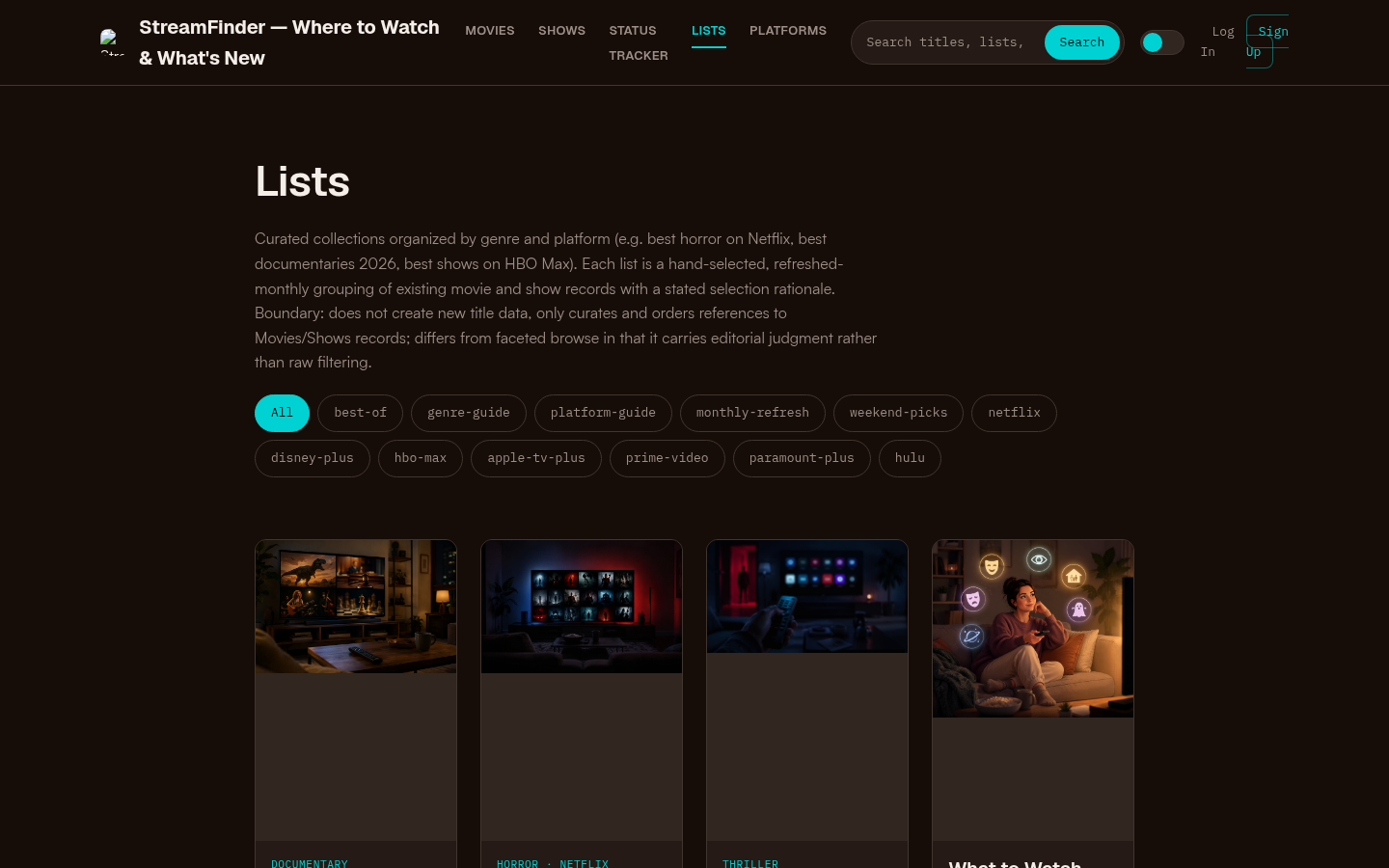
Curated collections page with tag filters (best-of, genre-guide, platform-guide, etc.) and article cards featuring documentary, horror, thriller, and weekend-pick lists.
The trade-off nobody mentions: curated picks vs. personal fit
Here's the limitation worth knowing before you lean on any top 10 chart or curated list tonight: popularity and curation both optimize for a general audience, not for your mood in this specific moment. A list titled "best horror on Netflix" is built for people who already know they want horror. It won't tell you that tonight, twenty minutes in, you'll realize you actually wanted something quieter. No chart or list fixes that, because it's a mood-matching problem, not a discovery problem.
The fix is sequencing, not a better list. Use the three-question framework first to lock in time, mood, and viewing context. Only then open a top 10 chart, a new-release calendar, or a curated list to fill in an actual title within that lane. Used in the wrong order, these tools just add more options to scroll through. Used in the right order, they cut the last step from "what are my options" down to "which of these three fits."
Start streaming: a two-minute checklist
Run through this before you open any app tonight:
- Time available: under 45 minutes, 45 to 90 minutes, or open-ended.
- Mood: light, tense, emotional, or background noise.
- Solo or group, and if group, any hard no's (too scary, too slow, subtitles issue).
- Pick your lane: short watch, comfort rewatch, or something new.
- If "something new," check one new-release list or curated guide for your mood and platform, and skim one trailer before committing.
That's the whole decision. It won't tell you the exact title, because the right title depends on your specific mood and week, but it turns an open-ended scroll into a five-minute pick every time.
Similar titles
- Where to Watch Demon Slayer Infinity Castle (2026 Guide)
Find where to watch Demon Slayer Infinity Castle: Crunchyroll, Netflix Asia windows, theaters, digital buy options, and a quick legal verification checklist.
- Where to Watch Demon Slayer Movie (2026 Guide)
Find where to watch Demon Slayer movies legally: identify Mugen Train or Infinity Castle, check stream/rent/buy options by region, and verify the listing before you play.
- Best Movies to Stream This Week (July 14–20, 2026)
7 new movies to stream this week plus fresh picks from earlier in July, with platforms, genres, and a simple way to decide what to watch tonight.