Platform Guides
Best Live TV Streaming Service (2026 Cable Replacement Guide)
Last-verified date not yet recorded for this guide.
Compare the best live TV streaming services for cord-cutting—YouTube TV, Hulu + Live TV, DIRECTV STREAM, and key alternatives—by price, channels, sports, DVR, and streams.
Best Live TV Streaming Service: How to Choose a Cable Replacement
Looking for the best live TV streaming service usually means one thing: you want live channels without a traditional cable bill. That is different from stacking on-demand apps. Netflix, Disney+, and Max are libraries. A live TV streamer is closer to a cable package delivered over the internet—locals (where available), news, sports, entertainment networks, a live guide, and usually cloud DVR.
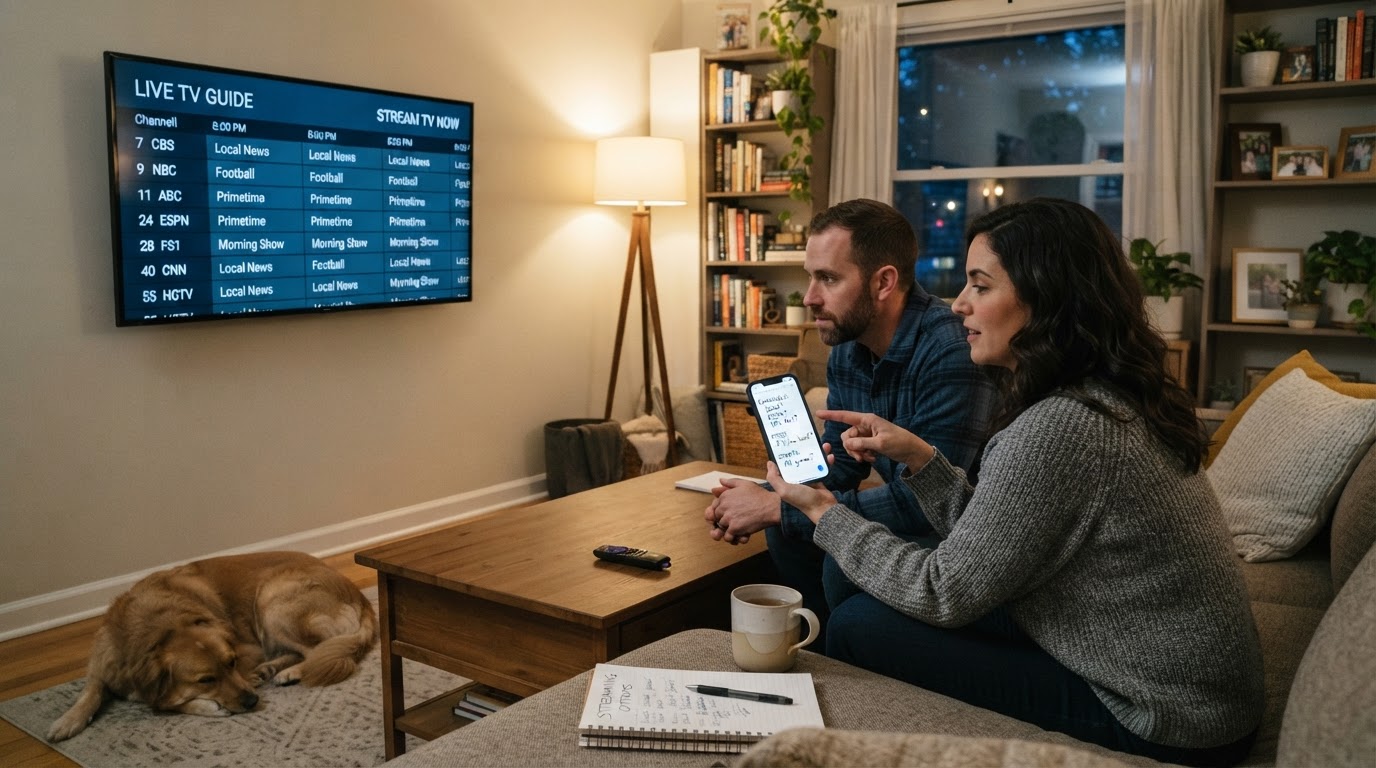
There is no single winner for every household. The right pick depends on whether you prioritize local channels, sports, a lower base price, or a bundled on-demand library. Use the framework below, then match it against the major live TV alternatives.
Live TV streaming vs on-demand-only apps
A live TV streaming service is built around linear channels you can watch as they air. Expect:
- A live channel guide (not only a browse row of shows)
- Local broadcast stations in many ZIP codes (ABC, CBS, FOX, NBC where licensed)
- National cable-style networks for news, sports, and entertainment
- Cloud DVR and simultaneous streams as core product features
On-demand services excel at originals and catalog depth. They are poor substitutes when you need the game, the local news, or a network schedule in real time. Many households end up with both: one live TV service as the cable replacement, plus a couple of library apps for series and movies.
If your goal is replacing cable TV with streaming, evaluate live TV packages first. If your goal is cheaper weekend binge-watching, you may not need a full live package at all.
Decision framework: pick criteria before a brand
Score each service against the same checklist. That keeps “best” tied to your household, not a generic ranking.
| Criterion | What to verify | Why it matters |
|---|---|---|
| Local channels | ABC/CBS/FOX/NBC availability for your ZIP | Morning news, network primetime, local sports |
| Sports | National sports nets + any regional sports networks (RSNs) you need | Biggest price and blackout driver |
| Base price | Intro offer vs regular monthly rate | Live TV prices move; compare the post-promo rate |
| Streams & accounts | Simultaneous screens and household accounts | Shared homes hit limits fast |
| DVR | Storage limits, retention, commercial skip rules | Replaces the cable box DVR workflow |
| On-demand extras | Included library apps or premium add-ons | Can reduce or increase total spend |
| Devices | Smart TV apps, sticks, consoles, browsers | Avoid services missing your main screen |
Also check cancellation terms and whether the service requires periodic “home” sign-in. Those details matter more for travel and multi-home households than marketing channel counts.
Quick comparison of major live TV options
Prices and promos change frequently. The figures below are from each provider’s public plan pages at the time of research and should be rechecked for your ZIP before you subscribe.
| Service | Best for | Base plan signal (public pages) | Streams (public pages) | Standout trade-off |
|---|---|---|---|---|
| YouTube TV | Broad channel mix + strong DVR defaults | Main plan intro about $67.99/mo for 3 months, then about $82.99/mo; Sports plan also offered | 3 streams; 6 household accounts | Higher regular price for a wide package |
| Hulu + Live TV | Live channels plus Hulu/Disney+/ESPN Select bundle | About $89.99/mo (With Ads + Live TV) or $99.99/mo (Premium + Live TV) after trial | Up to 2 screens standard; Unlimited Screens add-on available | Strong library value; tighter default stream count |
| DIRECTV STREAM | Package tiers with locals + sports depth on higher tiers | Entertainment promo starts around $59.99 for first month; higher afterward | Unlimited streams advertised | Package choice and RSN availability vary by ZIP |
| Sling TV | Modular / lower-cost live packages | Confirm current Orange/Blue pricing on Sling’s site | Confirm on Sling’s site | Often fewer total channels; build carefully |
| Fubo | Sports-first live lineups | Confirm current plans on Fubo’s site | Confirm on Fubo’s site | Sports strength can mean weaker fit for non-sports homes |
Sling and Fubo are widely used live TV alternatives, but their public sites blocked automated verification during research. Treat them as contenders only after you open each official plan page and check your ZIP.
YouTube TV: best all-around live package for many households
YouTube TV is the default shortlist entry when you want a wide national lineup, locals in most U.S. markets, unlimited cloud DVR, and a polished multiview experience.
Public plan details currently include:
- Main YouTube TV plan: introductory pricing around $67.99/mo for the first 3 months, then about $82.99/mo
- Sports Plan option: about $54.99/mo for 12 months, then about $64.99/mo for a smaller sports-focused lineup
- 100+ channels on the main plan (locals such as NBC/CBS/FOX/ABC where available, plus ESPN, news, and entertainment)
- Unlimited DVR, multiview, 6 household accounts, and 3 simultaneous streams
- 10-day free trial and no annual contract language on the plan page
- Add-ons such as 4K Plus and genre packs at extra cost
Choose YouTube TV if you want one broad live package with strong DVR defaults and do not want to assemble modular channel packs. Skip or compare carefully if the post-promo monthly rate is above your budget, or if you only need a small sports-focused set of channels.
Hulu + Live TV: best when the Disney bundle is part of the value
Hulu + Live TV competes less as a bare channel pipe and more as a live package plus on-demand stack. Both current Live TV plans include Disney+ and ESPN Select access (ads or premium variants depending on plan).
Public plan details currently include:
- Hulu (With Ads) + Live TV: about $89.99/mo after a 3-day free trial, including Disney+ with ads and ESPN Select
- Hulu Premium + Live TV: about $99.99/mo, including Disney+ Premium and ESPN Select
- 100+ live channels, including major broadcast and sports/news networks, with locals where available
- Unlimited DVR with recordings stored up to 9 months
- Standard simultaneous streams: up to 2 screens; Unlimited Screens add-on for more at home
- Premium network add-ons after signup (for example Max, Paramount+ with SHOWTIME, STARZ)
Choose Hulu + Live TV if your household already wanted Hulu and Disney+ and you prefer one bill that covers live channels plus those libraries. Compare carefully if two default streams are too few, or if you do not value the Disney/ESPN bundle enough to justify the higher entry price versus a pure live package.
DIRECTV STREAM: best when package tiers and sports packages matter
DIRECTV STREAM is the live option that still feels closest to choosing a traditional TV package: base entertainment tiers, higher packages for broader sports/RSN access, and device-centric features such as multiview and voice remote on supported hardware.
Public page facts currently include:
- Entertainment package promo around $59.99 for the first month for new residential customers, then a higher ongoing rate
- 5-day free trial
- Locals and popular channels with every package
- Unlimited streams for unlimited screens advertised
- Multiview of up to four channels
- Most in-market RSNs on CHOICE or higher packages, with availability by ZIP
- Bundled Disney+, Hulu (with ads), and ESPN Unlimited called out with streaming service + device offers (offer rules apply; existing subscriptions are not simply replaced)
Choose DIRECTV STREAM if you need package flexibility, unlimited simultaneous screens, or RSN-heavy sports access that lower packages may not include. Verify before buying whether the package that includes your RSN still makes financial sense after the intro month, and whether FOX/Telemundo or other market gaps apply to your ZIP.
Other live TV alternatives worth checking
Not every household needs a 100-channel bundle.
- Sling TV is commonly used as a modular, often lower-cost cable replacement with Orange/Blue-style base packages. Confirm current channel mixes, stream limits, and pricing on Sling’s official site before comparing it head-to-head with YouTube TV or Hulu.
- Fubo is commonly shortlisted by sports-first viewers. Confirm plan tiers, blackout rules, and DVR limits on Fubo’s site for your market.
- Antenna + on-demand apps can beat any live streamer on price if free over-the-air locals cover your news needs and you only buy sports or library apps seasonally.
- Network-specific apps (for example a single sports league pass) can be cheaper than a full live package when you only care about one content type.
These options are still streaming alternatives to cable TV. They simply optimize for cost or a narrower use case instead of full-package convenience.
Pricing and value: compare total monthly cost, not channel count
A higher channel count is only a bargain if you watch those channels. When you compare the best streaming cable replacement for your home, calculate:
- Post-promo base price for the live package
- Required add-ons (extra streams, sports packs, premium networks)
- Apps you would buy anyway (Hulu/Disney+ value only counts if you would pay for them separately)
- Internet upgrade cost, if any, needed for reliable HD multi-stream viewing
A $70–$100 live package can still undercut classic cable when it removes equipment fees, broadcast surcharges, and long contracts. It can also overshoot a lean cord-cutting setup that combines free locals with one or two rotating library subscriptions.
Channels, locals, and sports trade-offs
Local channels are the hidden deal-breaker. Two services with similar national lineups can differ by ZIP for ABC/CBS/FOX/NBC. Always enter your address on the provider’s channel checker.
Sports is the second deal-breaker:
- National networks (ESPN and peers) appear in many full packages
- Regional sports networks often sit behind higher tiers or specific packages (DIRECTV STREAM explicitly ties many RSNs to CHOICE or higher)
- Blackouts and in-market rules still apply even when a channel logo appears in marketing
If live sports are non-negotiable, shortlist services by the exact teams and leagues you watch, not by total channel count.
DVR, multi-stream, and device support
Cloud DVR replaces the old set-top box, but implementations differ:
- YouTube TV advertises unlimited DVR with a finite retention window for recordings
- Hulu + Live TV also advertises unlimited DVR with up to 9 months of storage
- DIRECTV STREAM customers commonly use cloud recording; confirm current storage limits in the plan details for your package
Stream limits are a household-fit issue:
- YouTube TV: 3 streams
- Hulu + Live TV: 2 streams unless you buy Unlimited Screens
- DIRECTV STREAM: unlimited streams advertised
Device support is broadly strong across smart TVs, streaming sticks, phones, tablets, and browsers for the major services. Still confirm the exact app for your primary living-room device before migrating from cable.
Who each type of service is best for
- Best overall full-package pick for many homes: YouTube TV, when budget can absorb the regular rate and you want strong DVR + broad channels
- Best for Disney/Hulu library households: Hulu + Live TV, when the bundled apps offset the higher live-TV price
- Best for package/RSN flexibility and unlimited screens: DIRECTV STREAM on the tier that actually includes your sports channels
- Best budget modular experiment: Sling-style packages, after you verify the exact Orange/Blue mix covers your must-have networks
- Best sports-first shortlist candidate: Fubo, after you verify blackouts and plan limits for your teams
- Best ultra-lean cord-cutting path: antenna for locals + rotating on-demand apps, if you can live without full cable-style channel surfing
How to choose the right live TV streaming service
Use this sequence instead of starting from brand loyalty:
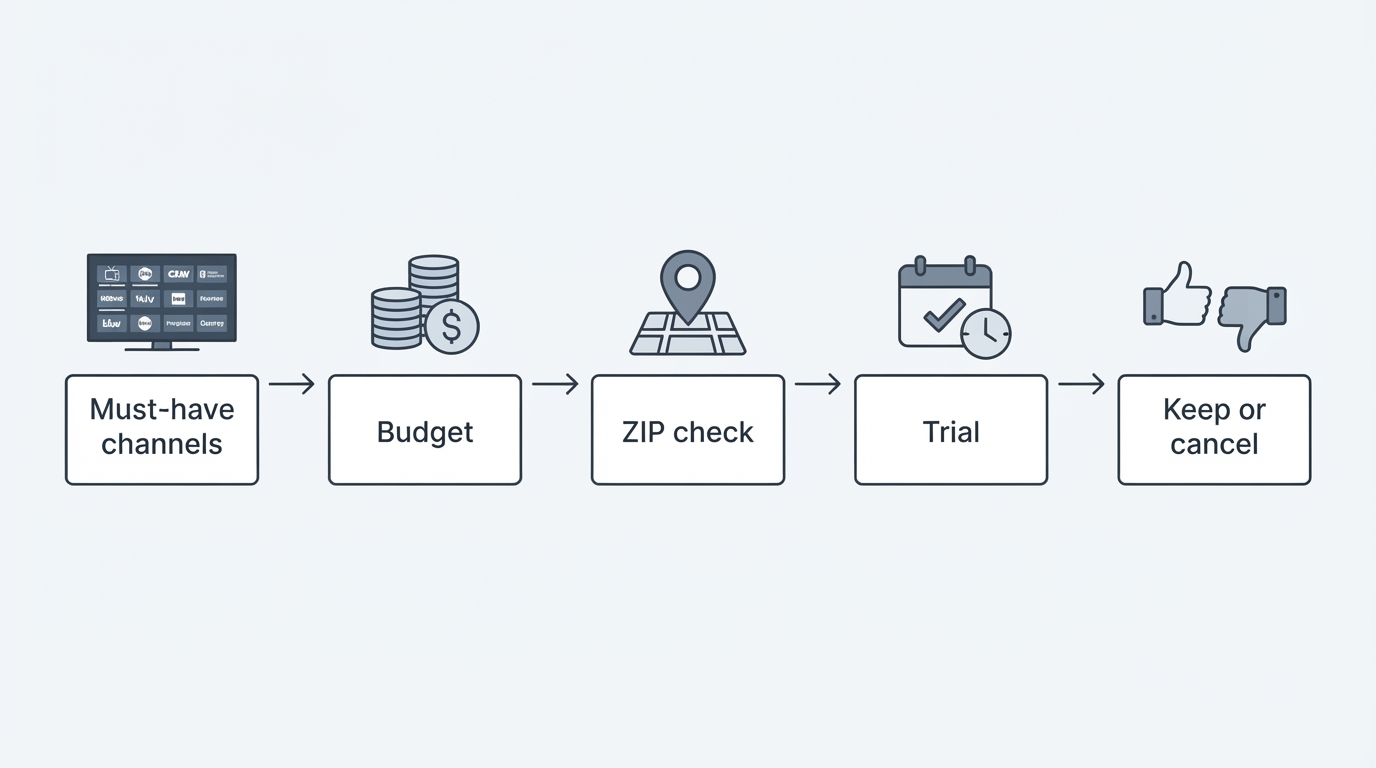
- List must-have channels (locals, 2–3 news nets, specific sports nets).
- Set a hard monthly budget that includes expected add-ons.
- Filter services that carry the must-haves in your ZIP.
- Compare post-promo prices and stream/DVR limits for your household size.
- Start a free trial when available (YouTube TV, Hulu + Live TV, and DIRECTV STREAM all advertise trials on their plan pages).
- Watch for one week like a normal household—news in the morning, sports at night, DVR of a few shows—before canceling cable.
If you rotate on-demand catalogs after you pick a live package, a discovery tool such as StreamFinder can help track where individual shows stream and whether a series is renewed or canceled. That does not replace a live TV subscription, but it can prevent paying for an extra library app you no longer need.
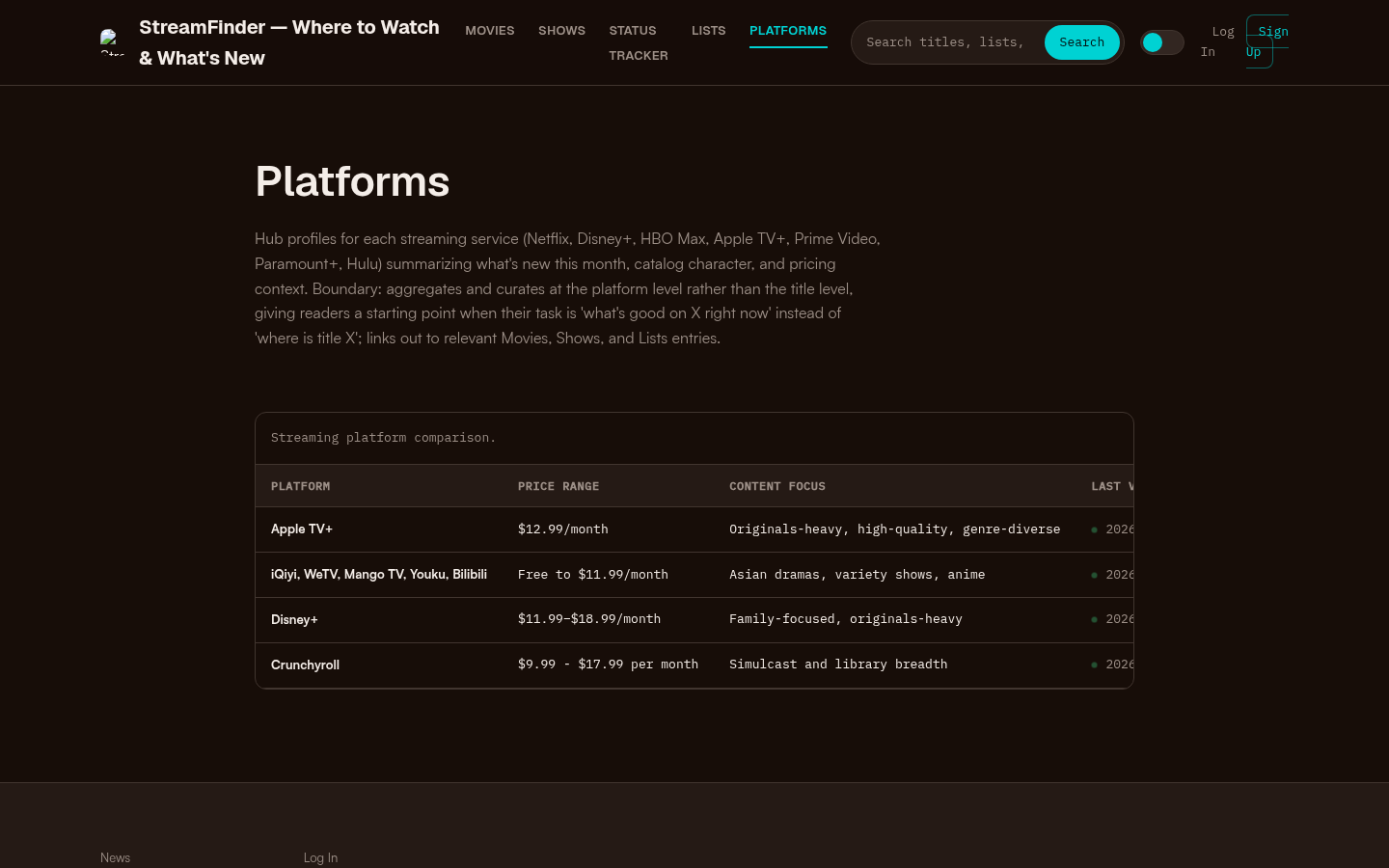
Platforms page with a streaming platform comparison table showing Apple TV+, iQiyi/WeTV/Mango TV/Youku/Bilibili, Disney+, and Crunchyroll with price ranges and content focus.
Bottom line
The best live TV streaming service is the one that clears your must-have channels, fits your household’s simultaneous-stream needs, and stays affordable after the intro rate ends. For many viewers, YouTube TV is the strongest general-purpose cable replacement; Hulu + Live TV wins when the Disney/Hulu/ESPN stack is part of the value; DIRECTV STREAM is compelling when package tiers, unlimited screens, or RSN access matter. Modular options like Sling and sports-first options like Fubo remain important live TV alternatives—just verify current pricing and lineups directly before you commit.
Re-check every provider’s official plan page for your ZIP on the day you subscribe. Live TV packaging changes faster than cable ever did, and the right answer is the package you can still justify next month—not only during the trial.