Platform Guides
Best Streaming Platforms (2026): Compare Plans & Pick Smarter
Last-verified date not yet recorded for this guide.
Compare the best streaming platforms for TV and movies in 2026. See plan tiers, ads vs premium trade-offs, free alternatives, and a simple framework to choose.
Best Streaming Platforms in 2026: How to Choose the Right One
Picking the best streaming platforms is less about crowning a single winner and more about matching library strengths, price tiers, and household habits. Most homes already juggle more than one service. The useful question is which mix covers the shows and movies you actually watch without paying for catalogs you ignore.

This guide is a best streaming platforms comparison for consumer video services—Netflix-style on-demand catalogs, studio apps, free ad-supported options, and live-TV add-ons. It is not a music-app ranking and not a creator live-stream guide.
What to Look for When Choosing a Streaming Platform in 2026
Use the same scorecard for every service so “best” stays concrete:
- Must-watch library — originals you care about, sports rights, kids catalogs, anime, prestige TV, or theatrical movies.
- Price structure — monthly vs annual, ad-supported vs premium, and whether a bundle undercuts separate subscriptions.
- Household fit — simultaneous streams, profiles, kids modes, downloads, and 4K when those matter.
- Live TV vs on-demand — some services are pure libraries; others sell sports and linear channels.
- Switching cost — free trials, promotional pricing, and how easy it is to pause or cancel after a season ends.
- Discovery friction — whether you can still find titles across apps when your stack grows.
Prices and plan names change often by country. Treat any figure as a checkpoint, not a permanent quote, and confirm on the provider’s checkout page before you subscribe.
A simple decision framework
| If your household mainly wants… | Start with… | Often pair with… |
|---|---|---|
| Broad mainstream TV + movies | A generalist catalog (Netflix-class) | One studio app you watch weekly |
| Marvel / Star Wars / Pixar + FX-style TV | Disney+ (and Hulu where available) | A generalist or Max for prestige |
| Prestige drama, HBO, and select live sports | Max | A generalist for volume |
| Short, high-polish originals on a tight budget | Apple TV+ | A free or ad-supported filler |
| Live sports and linear channels | A live-TV streamer or sports bundle | One on-demand library |
| Lowest spend | Free ad-supported TV (FAST) + rotating paid months | Cancel-and-return habits |
Side-by-Side Look at Leading Video Streaming Platforms
Below is a practical map of the services most U.S. cord-cutters compare. Strengths are about catalog character, not a permanent ranking.
Netflix — best default generalist
Best for: Households that want a large, continuously refreshed mix of originals, licensed series, and movies in one app.
Netflix remains the default “first subscription” for many people because its recommendation engine and profile system are built for multi-taste homes. Expect tiered plans with and without ads, resolution and stream-count differences between tiers, and frequent catalog rotation on licensed titles. Confirm current U.S. pricing on Netflix’s plan page at signup; regional plan grids differ, and help-center articles may show another market’s currency.
Watch-outs: Licensed hits leave. If your must-watch list is mostly one studio’s tentpoles, a studio app can be more efficient than hoping titles stay on Netflix.
Disney+ (and Disney bundles) — best for franchise depth
Best for: Families and fans of Disney, Pixar, Marvel, Star Wars, and National Geographic—especially when a bundle also covers Hulu-style general entertainment.
Standalone U.S. Disney+ pricing on Disney’s site is currently $11.99/month with ads and $18.99/month Premium (no ads on most on-demand titles; ads can still appear in select live/linear content), with an annual Premium option around $189.99/year. Disney also sells multi-app bundles, including Disney+ + Hulu and larger packages that add Max and/or ESPN Unlimited. Those bundles are often the better math when you already wanted two or three of those apps separately.
Watch-outs: Franchise density is high; general adult drama depth is thinner unless Hulu (or another generalist) is in the stack.
Max — best for prestige TV and Warner catalog value
Best for: Viewers who prioritize HBO-style series, Warner Bros. films, and selected live sports packages.
Max’s U.S. homepage currently lists Basic With Ads at $10.99/month (or $109.99/year), Standard at $18.49/month (or $184.99/year), and Premium at $22.99/month (or $229.99/year). Higher tiers expand simultaneous streams, downloads, and 4K/Atmos where available. Live sports appear on select plans; blackouts can still apply. Max is also sold inside Disney/Hulu multi-app bundles for people building a studio stack in one bill.
Watch-outs: It is not trying to be the largest everyday catalog. Pair it when prestige and specific sports matter more than sheer volume.
Amazon Prime Video — best if you already pay for Prime shipping
Best for: Shoppers who already keep Amazon Prime for delivery and want a secondary video catalog without another full-price generalist.
Prime Video sits inside the broader Prime membership for many customers and also sells add-on channels and rentals. Ad-supported viewing and ad-free add-ons have become part of the product story in multiple markets, so verify the current ad policy and any add-on fee in your account before assuming a fully ad-free library. Use it as a strong complement when Prime is already a household utility—not automatically as your only service if your must-watch list lives elsewhere.
Watch-outs: The “Prime includes video” value depends on how much you use shipping and other Prime perks. Judge video on its own if you would not otherwise keep Prime.
Apple TV+ — best lean premium originals
Best for: Viewers who want a smaller, high-production originals slate without managing a giant catalog.
Apple’s site currently promotes 7 days free, then $12.99/month for Apple TV+, with family sharing for up to five other family members through Family Sharing. It also surfaces multi-service offers (for example with Peacock) and inclusion in Apple One for people already in the Apple ecosystem. The catalog is intentionally compact: easier to finish “what’s good right now,” weaker if you want endless browse-and-binge inventory.
Watch-outs: You will almost always need a second service for volume, sports, or kids depth.
Paramount+, Peacock, and other studio apps — best as seasonal specialists
Best for: Fans of a specific network slate (CBS/Paramount, NBCUniversal, and similar) or sports packages tied to those brands.
These apps shine when a season, league, or franchise you follow is exclusive there. They are weaker as sole household services. A practical approach is to subscribe for the months that matter, then cancel—especially when free trials or short promos appear. Availability and plan names are market-specific; some services geo-restrict hard outside the U.S.
Free ad-supported platforms (FAST) — best budget filler
Best for: Secondary TVs, background viewing, and filling gaps without another $10–$20 line item.
Free ad-supported TV apps (and free tiers on larger services) are the real best streaming platforms alternatives free option for many households. Expect ads, thinner personalization, and fewer day-and-date blockbusters. They pair well with one paid generalist rather than replacing it for new-release culture.
Live TV streamers — best cable replacement, not pure on-demand
Best for: People whose “best” definition includes live sports, local channels, and news.
Live TV products (and sports-heavy bundles such as ESPN Unlimited packages sold with Disney/Hulu) solve a different job than Netflix-class libraries. They usually cost more than a single on-demand app and make sense when linear channels are non-negotiable. If you only need occasional sports, a shorter seasonal sub or a targeted sports add-on can beat a full live-TV stack.
Pricing Tiers, Ads, and How Bundles Change the Math
A clean list of all streaming services and prices does not stay accurate for long, but the structure does:
- Ad-supported tiers cut the monthly bill in exchange for commercial breaks on most on-demand titles.
- Standard/Premium tiers buy fewer or no ads, more simultaneous streams, downloads, and sometimes 4K.
- Annual prepay discounts services you know you will keep for a year.
- Multi-app bundles (for example Disney+ with Hulu, or Disney+/Hulu/Max) can beat buying each app alone when you already wanted the combination.
- Ecosystem bundles (Apple One, carrier deals, shopping memberships) only win if you value the non-video pieces.
Verified checkpoints from provider pages at research time:
| Service (U.S.) | Ad-supported entry (if offered) | Higher tier example | Notes |
|---|---|---|---|
| Disney+ | $11.99/mo | $18.99/mo or $189.99/yr Premium | Ads may still appear in select live/linear content |
| Max | $10.99/mo Basic With Ads | $18.49 Standard / $22.99 Premium | Yearly options listed on Max; sports on select plans |
| Apple TV+ | — | $12.99/mo after 7-day trial | Family Sharing support; compact originals catalog |
| Disney+ + Hulu + Max bundle | $19.99/mo with ads | $32.99/mo no-ads style package | U.S. multi-app billing; confirm current promo terms |
For Netflix, Prime Video, Paramount+, Peacock, and live-TV services, use the provider checkout price in your country rather than a third-party roundup. Regional pages frequently disagree with U.S. figures.
Free or Lower-Cost Alternatives—and When They Make Sense
Choose free/FAST first when:
- You are testing whether anyone in the house will actually watch a second paid app.
- You need a kitchen or guest-room default.
- Your must-watch list for the month is empty and you only want background TV.
Keep or add a paid app when:
- A show or league you care about is exclusive there.
- Ad load breaks the experience for kids’ bedtime or movie night.
- You need downloads for travel.
Rotate instead of stacking when:
- Two studio apps only matter for one season each.
- You can finish a short catalog (Apple TV+-style) in a month, then switch.
Reddit-style “best streaming platforms alternatives reddit” threads are useful for discovering pain points (price hikes, missing locals, sports blackouts), but treat them as anecdotes. Verify plan limits and rights on official pages before changing your stack.
How to Pick the Best Platform for Your Household and Budget
Work the decision in this order:
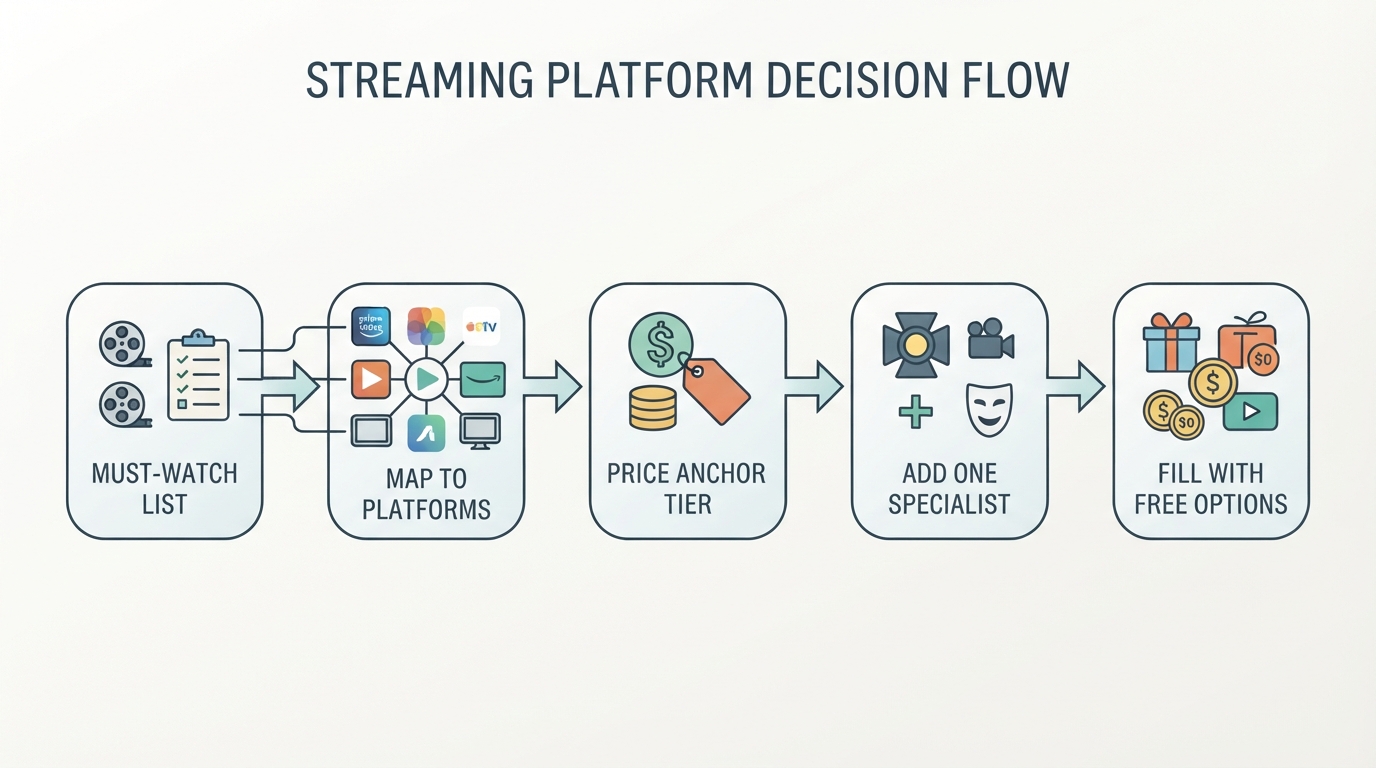
- Write a 10-title must-watch list for the next 90 days. Include sports if relevant.
- Map each title to a platform. The service that unlocks the most must-watches is your anchor—not the one with the flashiest homepage.
- Price the anchor at the lowest tier you will tolerate. If ads are fine, start there.
- Add at most one specialist (studio app, sports package, or kids-focused service) only if the list still has gaps.
- Fill the rest with free tiers or a temporary month of another service.
- Set a calendar reminder before renewal. Cord-cutting only saves money if canceling is part of the system.
Quick “who should buy what” cheatsheet
- One-app minimalists: a generalist (Netflix-class) or, if you already pay for Prime shipping, lean on Prime Video first and add only for exclusives.
- Franchise families: Disney+ Premium or a Disney bundle that includes Hulu.
- Prestige-first viewers: Max Standard/Premium, plus a free or cheap generalist for volume.
- Apple-home households: Apple TV+ inside Apple One if you already want Music/iCloud value; still plan a second app for breadth.
- Sports-first cord-cutters: price live-TV or ESPN-style bundles against how many nights you actually watch live. Do not pay cable-replacement rates for occasional games.
- Budget maximizers: one ad-supported paid app + FAST services; rotate specialists monthly.
Keep Your Stack Honest After You Subscribe
The hidden cost of modern streaming is not only the monthly total—it is the time spent remembering where something lives and whether a show is still being made. After you choose platforms:
- Recheck your must-watch list quarterly; cancel anything that no longer unlocks a title.
- Prefer services with clear profiles and kids controls if multiple people share a TV.
- When a title jumps platforms, decide whether the move is worth a new sub or a wait.
If you already juggle several apps, a discovery layer can reduce tab-hopping. StreamFinder is built for multi-service households that need one place to check where a title is available and related status context; its curated lists are hand-selected collections organized by genre, platform, and mood (qualified product evidence—verify current coverage on the site). Use tools like that to support the stack you chose, not to justify keeping apps you no longer watch.
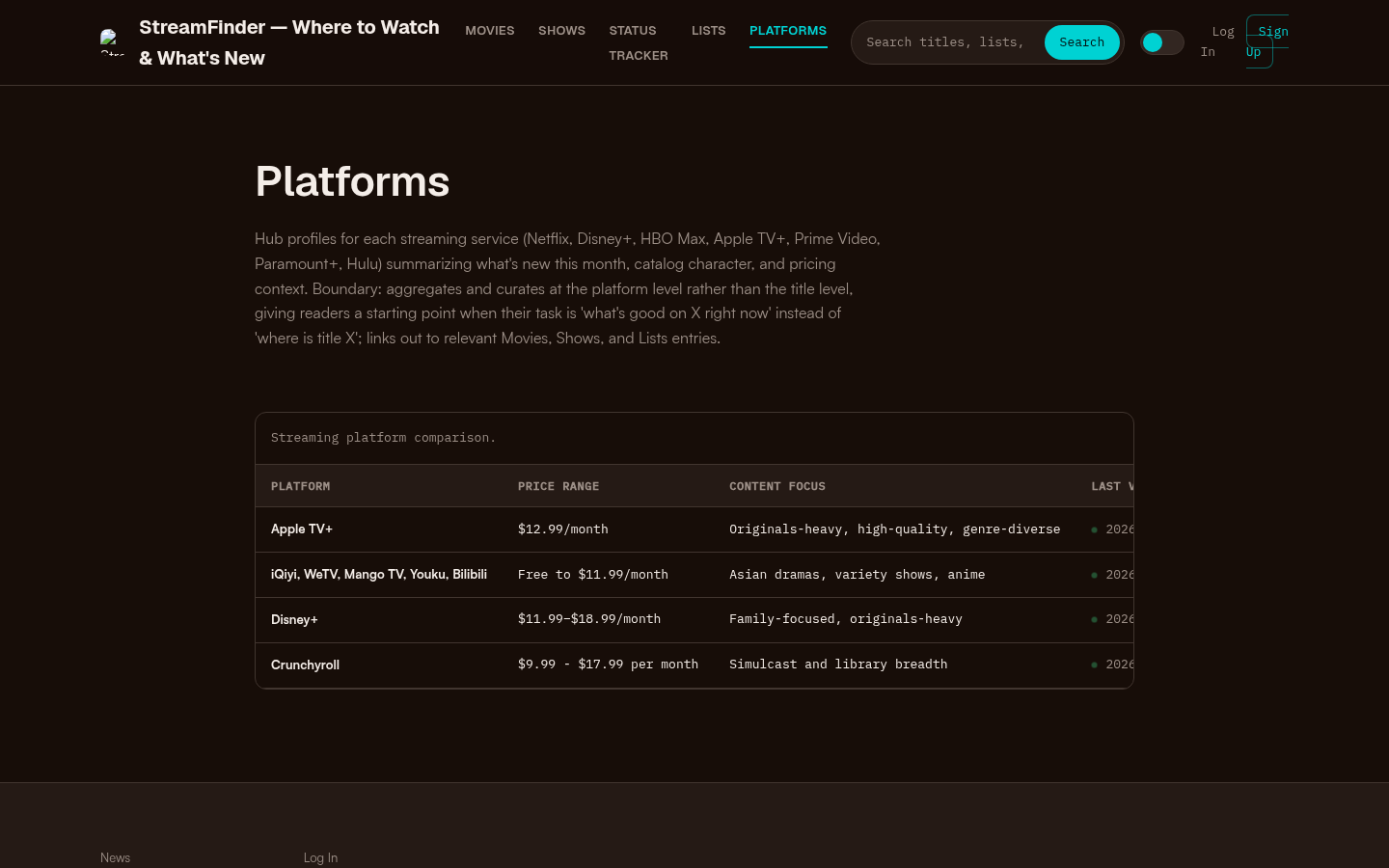
Platforms page with a streaming platform comparison table showing Apple TV+, iQiyi/WeTV/Mango TV/Youku/Bilibili, Disney+, and Crunchyroll with price ranges and content focus.
Bottom Line
The best streaming platforms in 2026 are the smallest set that covers your real watch list at a price you will still accept next quarter. Start with a generalist or the studio app that owns your exclusives, use verified plan pages for ads vs premium math, and treat free platforms as filler—not as a full replacement for new-release culture. Revisit the stack when seasons end. The winning setup is the one you can explain in one sentence: what you watch, what you pay, and what you are willing to cancel.