Platform Guides
Best Streaming Services 2025: Compare Plans, Prices & Live TV
Last-verified date not yet recorded for this guide.
Compare the best streaming services in 2025—on-demand apps, live TV, ad tiers, and real US price signals—so you can keep, cancel, or stack without overpaying.
Best Streaming Services 2025: How to Choose What to Keep
Streaming stacks got more expensive and more specialized in 2025. The "one app for everything" era is over: on-demand catalogs, live TV replacements, sports add-ons, and ad-supported tiers all solve different jobs. This guide ranks the best streaming services 2025 shoppers should actually compare—then shows how to pick a stack without overpaying.
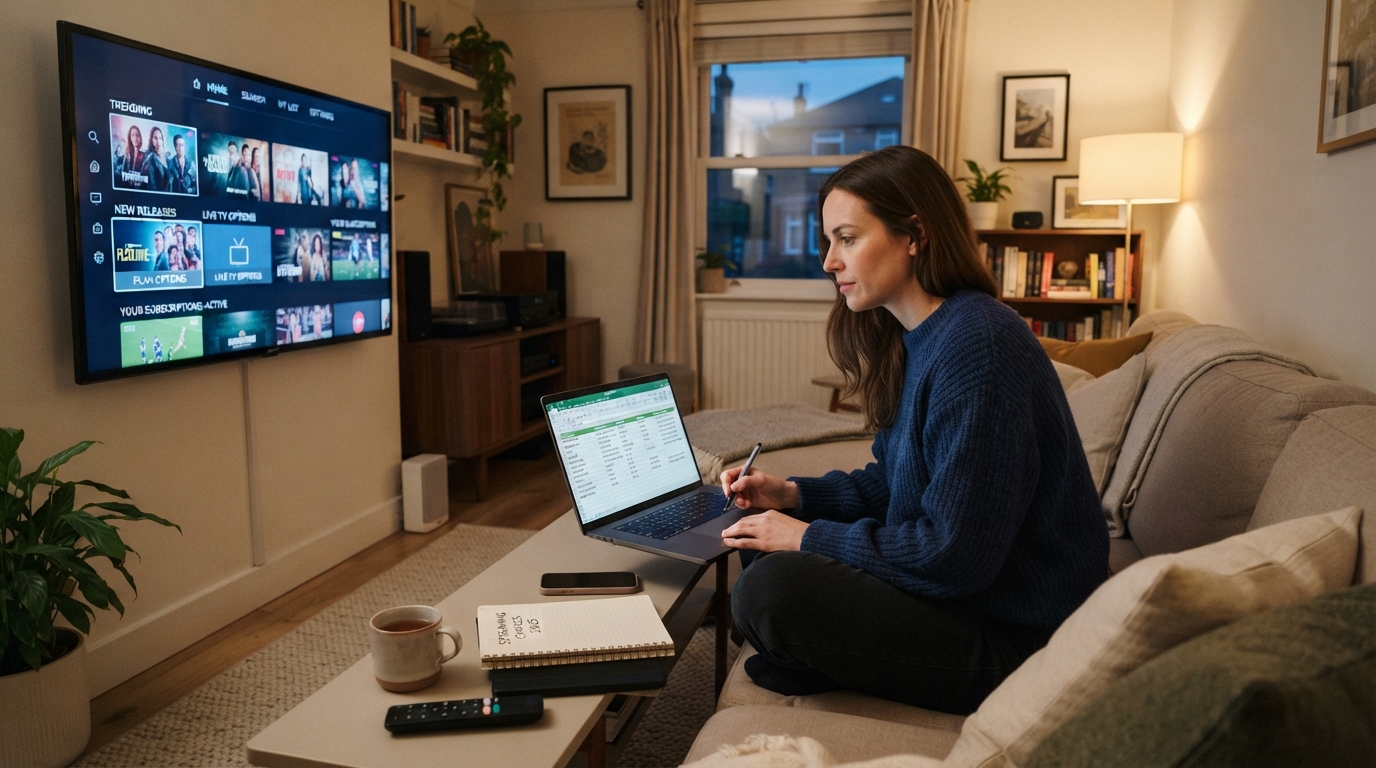
Use it if you are deciding which services to keep, cancel, or add; if you want a clear list of streaming services and prices for 2025 planning; or if you need live TV without a traditional cable box.
Quick picks: best streaming services 2025
| Need | Best fit | Why it wins in 2025 |
|---|---|---|
| Best overall on-demand stack | Disney+ + Hulu (+ Max when you want prestige TV/movies) | Flexible ad/no-ads bundles and strong originals across family, general entertainment, and premium series |
| Best premium series & movies | Max | Strong HBO-style originals, movies, and a clear ad tier ladder |
| Best live TV replacement | YouTube TV | Locals + major networks, unlimited cloud DVR, sports-friendly base lineup |
| Best movie-first add-on | A film-heavy service you already use often (Prime Video with Prime, or a movie-focused app) | Movies are spread out—pay for the library you finish, not the logo you like |
| Best budget approach | One ad-supported flagship + rotate seasonal services | Lower monthly burn, higher intentionality |
These are starting points, not permanent winners. The right answer is the cheapest set of services that covers what your household finishes watching this month.
How we ranked streaming services for 2025
Before another "best of" list, lock the criteria. Rank services against the jobs you actually pay for:
- Content fit — originals, movies, sports, kids, or live news you will watch weekly.
- Price per finished hour — not sticker price alone. An $8 plan you ignore is more expensive than a $15 plan you use nightly.
- Ad vs. no-ad tolerance — ad tiers cut cost; no-ad tiers buy time and fewer interruptions (live sports still often include ads).
- Live TV / local channels — only some services replace cable; most on-demand apps do not.
- Household friction — profiles, simultaneous streams, downloads, and device support.
- Stackability — whether a service is a year-round base layer or a 1–3 month rotate-in.
Information gain for 2025 shoppers is less about crowning a single #1 and more about matching base layer + situational add-ons.
On-demand shortlist: the services most households should compare
1. Disney+ (and Disney bundles) — best family + franchise base
Best for: families, Marvel/Star Wars/Pixar households, and anyone who wants Hulu entertainment in one checkout flow.
Disney's US plans are transparent on the official welcome/bundle pages:
- Disney+ With Ads: $11.99/month
- Disney+ Premium (no ads):* $18.99/month or $189.99/year
- Disney+ / Hulu Bundle With Ads: promotional $11.99/month for 6 months, then $12.99/month
- Disney+ / Hulu Bundle Premium: promotional $17.99/month for 6 months, then $19.99/month
- Disney+ / Hulu / HBO Max With Ads: $19.99/month
- Disney+ / Hulu / HBO Max No Ads:* $32.99/month
*Ads can still appear in some live/linear content; ESPN products include ads. Promotional rates step up after the intro window. Source: Disney+ bundle welcome page.
Who should pick it: households that will actually use Disney originals and Hulu's broader entertainment mix. Skip standalone Disney+ if nobody finishes family titles—Hulu-only or a different flagship may be leaner.
Watch-out: sports/live packages (ESPN Unlimited and similar) can jump the monthly total quickly. Treat sports as a separate decision, not a free side effect of "getting Disney."
2. Max — best prestige TV and movie nights
Best for: appointment TV, HBO-style dramas, big theatrical movies, and shared living-room watching.
Max publishes a clear US ladder on its site:
| Plan | Ads | Monthly | Yearly (prepaid offers may apply) |
|---|---|---|---|
| Basic With Ads | Limited ads | $10.99 | $109.99 |
| Standard | No ads on most on-demand (select live/linear may still have ads) | $18.49 | $184.99 |
| Premium | Same ad rules as Standard, higher quality/limits | $22.99 | $229.99 |
Basic allows 2 devices and Full HD; Standard adds downloads; Premium moves to 4 devices (with sports stream limits), 4K UHD, and more downloads. Max also surfaces the same Disney+/Hulu/HBO Max bundles ($19.99 with ads / $32.99 no ads). Source: Max.
Who should pick it: viewers who finish prestige series and movie nights. If your watchlist is mostly reality TV or kids animation, Max is often a rotate-in, not a permanent base.
3. Netflix — still the default discovery engine (verify local pricing)
Best for: broad mainstream taste, strong global originals, and "something for everyone" households.
Netflix remains a default comparison point for the best streaming services in 2025 because of catalog breadth and recommendation strength. Plan names commonly include an ad-supported Standard tier plus higher ad-free tiers with more simultaneous streams—but list prices vary by country and change often.
For this guide, treat Netflix as a must-check on the official plans page in your country before you lock a stack. Do not rely on last year's screenshots or a friend's price from another market.
Who should pick it: most multi-person households that want a reliable year-round base. Who can skip it temporarily: single-interest viewers who only care about sports, anime, or one franchise universe already covered elsewhere.
4. Prime Video (with Amazon Prime) — best "already paying for shipping" add
Best for: households that already keep Amazon Prime for shipping/other benefits and want extra movies/series without a second mental subscription.
Prime Video's value depends heavily on whether Prime is already in the budget. Pricing and ad experiences have shifted across markets; confirm the current Prime membership and any ad-free add-on on Amazon's official signup pages before counting it as "cheap."
Decision rule: if you would not keep Prime without video, price Prime Video like any other standalone service. If Prime stays either way, video can be an efficient secondary library—especially for movies—rather than your only flagship.
5. Apple TV+ — best short, high-finish-rate originals
Best for: viewers who prefer a smaller, polished catalog over endless browsing.
Apple TV+ is rarely a full household replacement for Netflix or Hulu, but it can be an excellent low-clutter add-on when you finish its flagship shows. Compare it on completion rate: if your household abandons long catalogs, a smaller premium slate can beat a bigger cheaper one.
6. Paramount+ and Peacock — best situational / sports-adjacent on-demand
Best for: specific live sports rights, franchise holdouts, and short seasonal windows.
These services often win for a few months (a sports season, a tentpole show), then lose value. In 2025, treat them as rotate-ins unless your household has a weekly reason to open the app.
Live TV streaming services: when on-demand is not enough
If the goal is local channels, live sports, and channel surfing, on-demand apps are the wrong product category. Compare live TV streaming services separately.
YouTube TV — strongest mainstream live TV pick in this guide
From YouTube TV's welcome page (US):
- YouTube TV main plan: promotional $67.99/month for the first 3 months for new customers, then $82.99/month
- Sports-focused plan: promotional $54.99/month for 12 months for new customers, then $64.99/month
- Marketed inclusions on the main plan include 100+ channels, locals (ABC, CBS, FOX, NBC in supported areas), ESPN, unlimited DVR, multiview, multiple household accounts, and concurrent streams
- Channel lineups vary by ZIP code; add-ons (for example 4K or extra sports packs) cost more
Source: YouTube TV welcome.
Best for: cord-cutters who need locals + national sports/entertainment nets and want cloud DVR without a hardware DVR.
Not ideal for: viewers who only want on-demand originals. Paying live-TV rates to watch library series is the fastest way to overspend.
How live TV compares to "best streaming service for movies"
Live TV packages answer a different question than movie catalogs. A useful 2025 split:
| Job | Better product type | Examples of what to compare |
|---|---|---|
| Binge originals & movies | On-demand SVOD | Netflix, Max, Disney+/Hulu, Prime Video, Apple TV+ |
| Live sports & locals | Live TV MVPD-style apps | YouTube TV and peers (Hulu + Live TV, Sling, Fubo—compare current local ZIP pricing) |
| Both | Hybrid stack | One on-demand base + a live TV plan only during sports season |
If you searched for the best live TV streaming service 2025 or a live TV streaming services comparison chart, start with locals availability in your ZIP, then sports rights, then DVR and simultaneous-stream limits—not total channel count alone.
List of streaming services and prices 2025 (US snapshot)
Prices move. Use this as a verified snapshot of major published rates, then re-check before you subscribe. Figures below are US monthly list/promo prices from official pages fetched for this article where noted.
| Service / package | Published US price signal | Ads | Notes |
|---|---|---|---|
| Disney+ With Ads | $11.99/mo | Yes | Official Disney+ bundle page |
| Disney+ Premium | $18.99/mo or $189.99/yr | No* | *Some live/linear may still include ads |
| Disney+ / Hulu (With Ads) | $11.99/mo for 6 mo, then $12.99/mo | Yes | Promo then standard |
| Disney+ / Hulu (Premium) | $17.99/mo for 6 mo, then $19.99/mo | No* | Promo then standard |
| Disney+ / Hulu / Max (With Ads) | $19.99/mo | Yes | Bundle pricing on Disney+ and Max pages |
| Disney+ / Hulu / Max (No Ads) | $32.99/mo | No* | Bundle pricing on Disney+ and Max pages |
| Max Basic With Ads | $10.99/mo | Limited ads | Official Max site |
| Max Standard | $18.49/mo | Mostly no ads | Official Max site |
| Max Premium | $22.99/mo | Mostly no ads | 4K / higher limits |
| YouTube TV (main) | $67.99/mo intro (3 mo), then $82.99/mo | Live TV ads | Locals vary by ZIP |
| YouTube TV Sports plan | $54.99/mo intro (12 mo), then $64.99/mo | Live TV ads | Narrower entertainment mix |
| Netflix / Prime Video / others | Confirm in your country | Varies | Do not copy stale third-party charts |
For a fuller list of all streaming services and prices 2025, add regional players and niche apps only after the base stack is set. A long spreadsheet is useless if the household still double-pays for overlapping originals.
Best streaming service by watcher type
Best for movies
Movie libraries are fragmented. Practical 2025 approach:
- Keep one broad on-demand base you already open weekly.
- Add Max when theatrical/prestige movie nights are frequent.
- Use rental/buy only for one-off titles instead of a third monthly app.
- Re-check "leaving soon" windows before renewing a movie-heavy service you barely opened.
"Best streaming service for movies" is usually a pair (base + Max or base + Prime), not a single app.
Best for live TV and local channels
Choose YouTube TV (or a ZIP-checked peer) only if you need live primetime networks and sports. If you mainly time-shift library shows, live TV is overkill.
Best for families
Disney+ (often with Hulu) is the cleanest family base when kids profiles and franchise catalogs matter. Pair with one adult-leaning service rather than three overlapping kids apps.
Best for budget cord-cutters
- One ad-supported flagship (Disney+/Hulu with ads, Max with ads, or Netflix ads tier where available)
- No live TV plan unless sports/locals are non-negotiable
- 60–90 day rotations for niche services
- Annual prepay only on services you kept for 6+ uninterrupted months
A simple stacking system that prevents overpaying
Use this monthly checklist:
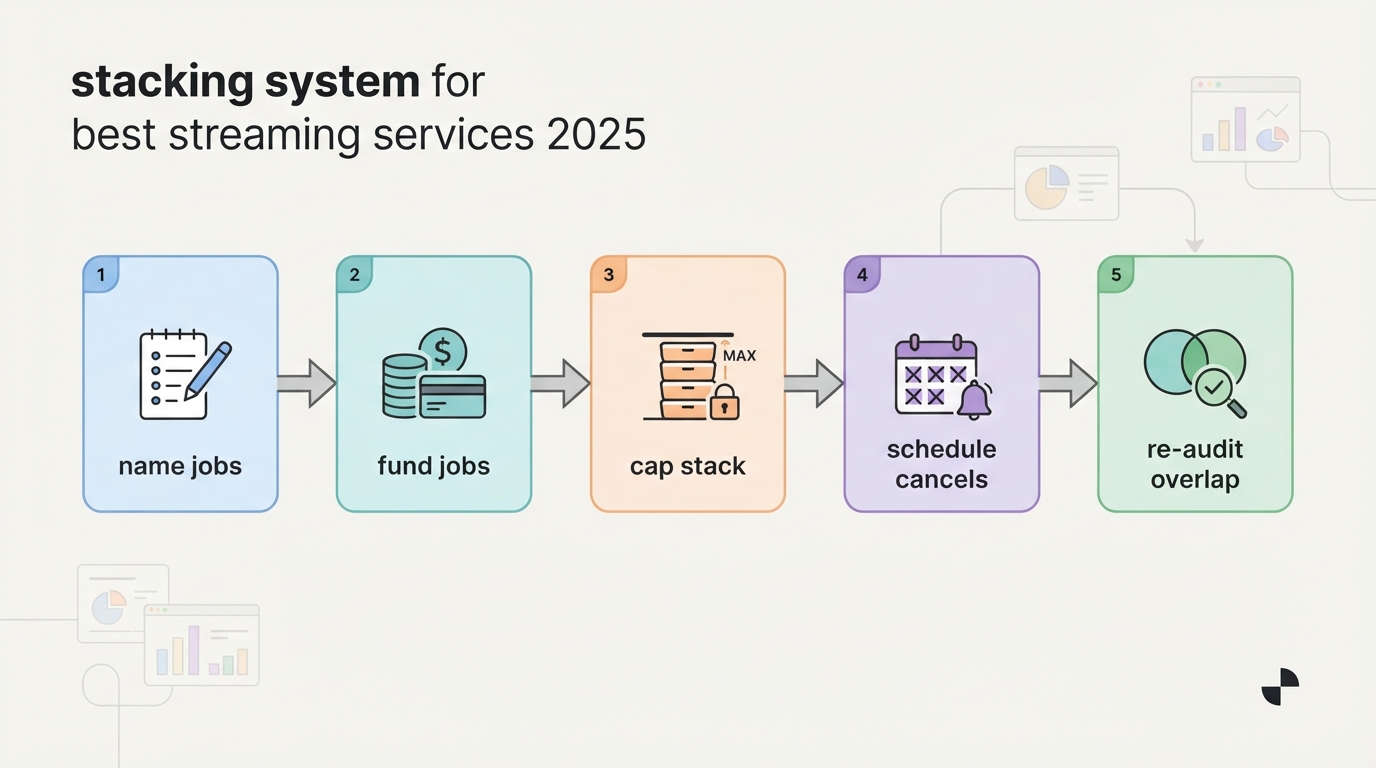
- Name the month's jobs — kids shows, Sunday sports, two prestige series, movie nights.
- Fund the jobs, not the logos — pay for coverage of those jobs only.
- Cap the stack — most households do well with 2 on-demand services, or 1 on-demand + 1 live TV.
- Schedule cancels — put calendar reminders for promo expiry and season ends.
- Re-audit overlapping catalogs — if two apps are kept "just in case," cancel the one with lower completion.
Example stacks (illustrative)
- Family entertainment, no live TV: Disney+/Hulu with ads + occasional Max during a big season.
- Prestige TV + movies: Max Standard/Premium + one broader discovery service.
- Sports household: YouTube TV through the season + one cheaper on-demand app; downgrade live TV in the off-season.
- Minimalist 2025/2026 posture: one ad tier flagship, rent the rest, revisit upgrades when a must-watch exclusive drops.
Looking ahead to the best streaming service 2026 debate: expect more bundle reshuffling and ad-tier pressure, not a return to a single winner. The durable skill is stack management, not brand loyalty.
How to decide in 20 minutes
- Write your top 10 titles for the next 60 days.
- Map each title to a service (official apps or a neutral availability checker).
- Count how many titles land on each service.
- Keep the services that cover multiple titles; skip one-title subscriptions unless the title is a household priority.
- Choose ad vs. no-ad based on how often you watch with full attention vs. background noise.
- Only then price live TV—if fewer than half your "must watch" items are live, you probably do not need it.
Optional helper for multi-service households
If the hard part is remembering where a show lives across Netflix, Disney+, Max, Prime Video, and the rest, a discovery layer can reduce tab-hopping. StreamFinder is positioned around where to watch, when something drops, and whether a show is coming back, with platform-oriented browsing and curated editorial collections organized by genre, platform, and mood (editorial picks rather than pure automated filters). That kind of lookup is most useful after you shortlist services—not as a substitute for comparing prices and plan tiers.
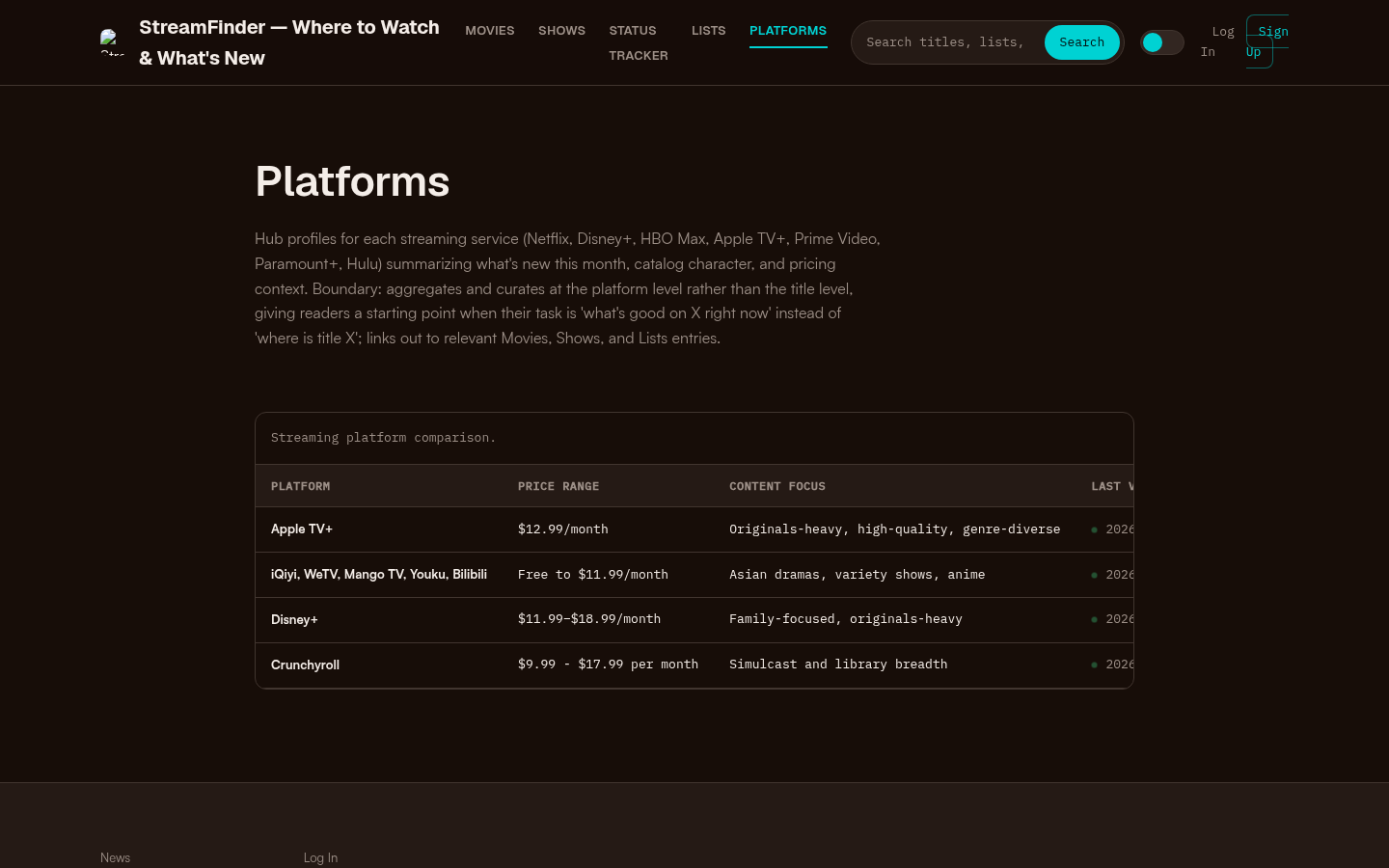
Platforms page with a streaming platform comparison table showing Apple TV+, iQiyi/WeTV/Mango TV/Youku/Bilibili, Disney+, and Crunchyroll with price ranges and content focus.
Common mistakes to avoid
- Buying live TV to solve an on-demand problem. Expensive and mismatched.
- Keeping three overlapping "everything" apps. Pick one discovery base.
- Trusting undated price blogs. Prefer official plan pages the day you subscribe.
- Ignoring promo cliffs. Intro bundle pricing is not the long-term rate.
- Optimizing for 4K badges you never use. Pay for streams and downloads your household actually needs.
- Chasing piracy/"free everything" shortcuts. Beyond legal risk, malware and broken reliability make them a false bargain—stick to legitimate tiers and free ad-supported legal apps if budget is tight.
Bottom line
The best streaming services in 2025 are a portfolio:
- Disney+ / Hulu bundles for family + general entertainment leverage
- Max for prestige series and many movie nights
- Netflix as a still-central discovery base (confirm local pricing)
- YouTube TV when you truly need live TV and locals
- Prime Video / Apple TV+ / seasonal apps as secondary or rotational layers
Start from your next 60 days of watching, not from a generic ranking. The winning stack is the one your household finishes—and can explain in one sentence at renewal time.