Platform Guides
Streaming Service Comparison (2026): Plans, Live TV, Bundles
Last-verified date not yet recorded for this guide.
Compare major streaming services with a clear decision framework, current U.S. plan anchors, live TV options with local channels, bundles, and viewer-profile picks.
Streaming Service Comparison: How to Choose the Right Mix in 2026
A useful streaming service comparison is not a popularity contest. It is a budget and viewing-habit decision: which apps cover the shows and movies a household actually watches, whether live TV still matters, and how much duplicate spend can be cut without losing the essentials.
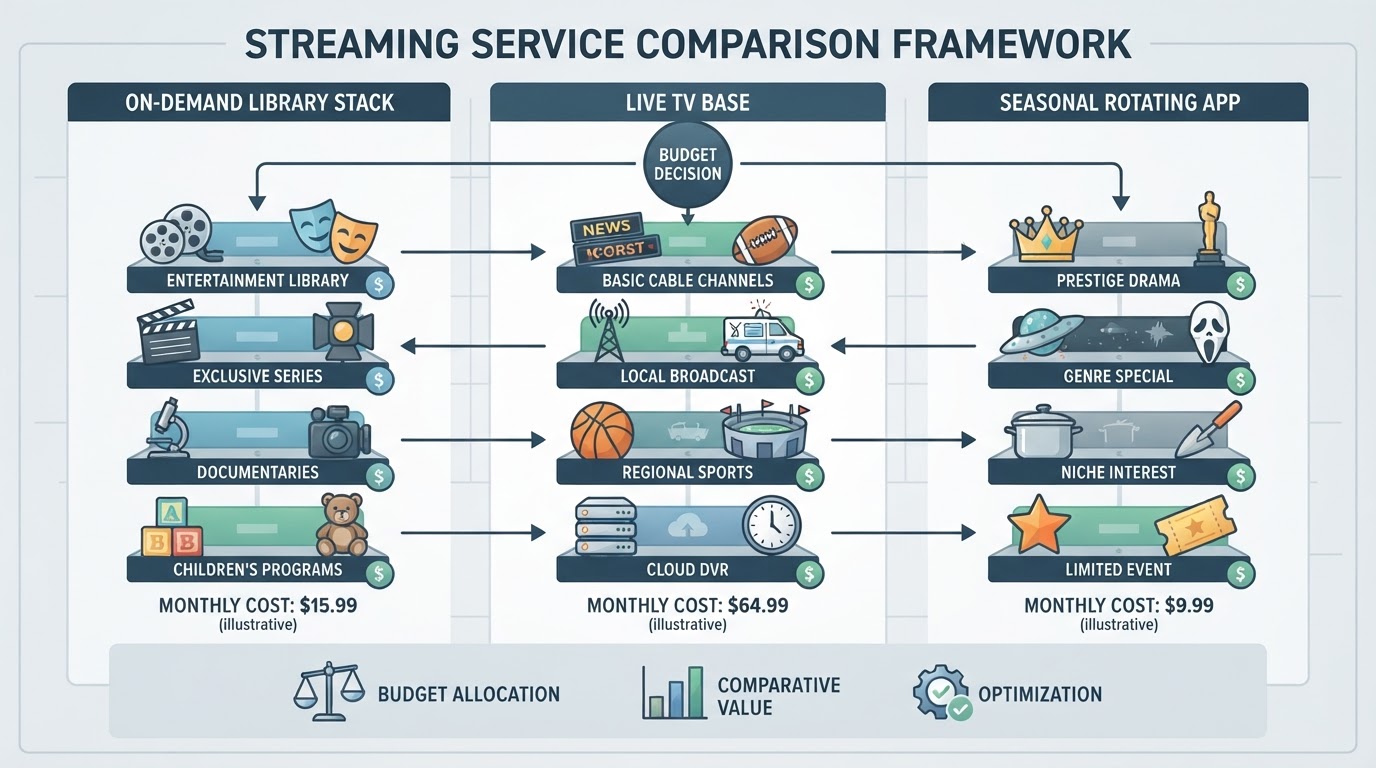
This guide gives a practical comparison framework, a streaming services comparison chart of major U.S. options with currently published plan prices where official pages list them, a live TV streaming services comparison chart for cord-cutters who need local channels, and recommendation paths by viewer profile. Prices change often and can vary by promo, bundle, billing partner, and ZIP code for live TV, so treat every dollar figure as a checkpoint against the provider’s own checkout page before you subscribe.
Start With Criteria, Not Brand Names
Before stacking logos, score each service against the same criteria. That turns a vague “what should we get?” debate into a short shortlist.

| Criterion | What to check | Why it changes the decision |
|---|---|---|
| Monthly all-in cost | Base plan + add-ons + taxes/fees | A cheap library plan can still lose to a bundle if sports or live TV is required |
| Ads vs ad-free | Whether ads are acceptable on everyday watching | Ad tiers often cut the bill; “no ads” plans may still show ads on some live/linear content |
| Content fit | Originals, sports, kids, news, anime, movies | Catalog strength is uneven; one household rarely needs every major app |
| Live TV / locals | Broadcast affiliates, news, regional sports | On-demand apps do not replace antenna or live TV packages for local channels |
| Streams and sharing | Simultaneous streams, household rules | Multi-room and multi-device homes hit limits faster than solo viewers |
| Downloads / travel | Offline titles and device caps | Commuters and travelers care more than living-room-only households |
| Rotation flexibility | Cancel anytime vs annual lock-in | Many households rotate services by season instead of keeping four year-round |
A simple rule: if a title is the only reason to keep a subscription, put a cancel date on the calendar the day the season ends. If the service is daily background TV, live sports, or kids’ default, keep it in the base stack.
Streaming Services Comparison Chart (On-Demand Focus)
The table below is a decision chart, not a full list of all streaming services and prices. It focuses on widely used U.S. on-demand services and uses official published plan points where this research could verify them. Blank or qualitative cells mean the current public page did not supply a clean U.S. price in the sources checked—confirm those on the provider site.
| Service | Best for | Published plan anchors (U.S.) | Ads picture | Live TV / locals |
|---|---|---|---|---|
| Disney+ | Marvel/Star Wars/Pixar families and franchise deep dives | With Ads $11.99/mo; Premium (no ads) $18.99/mo or $189.99/yr | Clear ads vs premium split | Not a cable replacement; sports sit mainly in ESPN bundles |
| Hulu | Next-day TV, general entertainment, Disney ecosystem | Standalone reference $11.99/mo on promo pages; stronger value inside Disney bundles | Ads and no-ads tiers; live/linear may still include ads | Hulu + Live TV is the live path (see live chart) |
| Max (HBO Max) | Prestige series, theatrical movies, select TNT/TBS sports | Basic With Ads $10.99/mo; Standard $18.49/mo; Premium $22.99/mo (annual options listed) | Ads on Basic; higher tiers reduce ads (select live/linear may still include ads) | Not full cable; includes select live sports on eligible plans |
| Apple TV+ | Short, high-finish originals and included live sports events | $12.99/mo after trial; Family Sharing up to six people | Ad-free originals positioning on the official page | Not a local-channel service; includes selected live sports (for example F1, MLS, Friday Night Baseball per Apple’s page) |
| Netflix | Broad mainstream originals and easy multi-profile defaults | Confirm current U.S. tier prices on Netflix before buying; plan structure commonly includes ads vs higher tiers with more streams/quality | Ad tier exists in many markets | No traditional local live TV package |
| Prime Video | Households already paying for Amazon Prime shipping/benefits | Price is often embedded in Prime membership rather than a pure video-only comparison; verify current Prime and any ad-free video add-on on Amazon | Ad-supported viewing options have expanded on Prime Video in recent years—check the current Amazon video signup flow | Not a local-channel replacement |
| Paramount+ / Peacock | Specific sports windows, network shows, and rotating movie libraries | Official pages can geo-gate pricing; verify current U.S. ads vs premium tiers at checkout | Usually offer cheaper with-ads plans | Some live sports and channel content, but not a full local-news replacement for every market |
Bundle math can beat “cheapest single app”
Official Disney ecosystem pages currently publish several U.S. bundles that change the comparison:
- Disney+ and Hulu With Ads: promo pricing around $11.99/mo for 6 months, then $12.99/mo; Premium no-ads path around $17.99 then $19.99/mo (Disney welcome page).
- Disney+, Hulu, and HBO Max With Ads $19.99/mo; No Ads $32.99/mo.
- Disney+, Hulu, and ESPN Unlimited With Ads $35.99/mo; Premium path $44.99/mo.
If a household was about to buy Disney+, Hulu, and Max separately, the official bundle pages are claiming material monthly savings versus separate list prices. Run the same check for any sports add-on: ESPN Unlimited and premium channel packs can erase “cheap base plan” savings quickly.
Live TV Streaming Services Comparison Chart
If the goal is the best streaming service for live TV—especially the best live TV streaming service with local channels—compare live packages separately from Netflix-style libraries. Live TV is priced like slim cable, not like a $10–$20 on-demand tier.
| Live option | Published U.S. price anchors | What it is trying to replace | Local channels | Notes that change fit |
|---|---|---|---|---|
| YouTube TV | Intro pricing from official welcome page: base plan $67.99/mo for first 3 months, then $82.99/mo; Sports plan path also listed; $0 for 10-day trial for new users | Full-home live TV with unlimited cloud DVR positioning | Locals such as ABC, CBS, FOX, NBC subject to ZIP / availability | 100+ channels on the main plan messaging; 3 streams, 6 household accounts, multiview; add-ons for 4K, sports packs, premium apps |
| Hulu + Live TV | Official Hulu welcome pricing: $89.99/mo regular after trial/promo; promo example $64.99/mo for 3 months | Live channels plus Hulu’s on-demand library | Regional limits and blackouts apply | Strong if the household already wants Hulu’s library in the same bill |
| Antenna + on-demand stack | One-time hardware cost; channels free over the air where reception allows | Local broadcast only | Best local picture when reception is clean | Pairs well with cheaper on-demand apps if national cable nets are optional |
| Sports-heavy add-on path | Example: ESPN Unlimited appears inside Disney bundle math at higher total prices | Sports-first live needs | Locals still may require antenna or a live TV base | Useful when the household’s “must watch” list is leagues, not primetime cable |
A practical live-TV filter:
- List must-have locals and regional sports networks.
- Enter the real home ZIP on each provider—lineups are not national clones.
- Count concurrent streams during big games.
- Add the true monthly total with sports and premium packs, not the homepage teaser.
- If locals are the only gap, test an antenna before paying cable-replacement prices.
Who Should Choose What
Use these recommendation paths as defaults, then swap one service based on a single must-watch title.
Budget multi-service household
Keep one “everyday” app and one “franchise/kids” app, then rotate a third. Example pattern: an ads-tier general library + Disney+ With Ads, with a seasonal prestige or sports month only when needed. Revisit every 90 days.
Family with kids and shared franchises
Disney+ is usually the anchor because the catalog is organized around long-running family brands. Pair it with Hulu when next-day network TV matters. Official Disney+/Hulu bundles are often cleaner than two separate bills.
Prestige drama and movie nights
Max’s published tier ladder makes the trade-off explicit: pay less and accept ads on Basic With Ads, or move to Standard/Premium for fewer ads, downloads, and higher stream counts. If the same household also wants Disney and Hulu, check the Disney+/Hulu/HBO Max bundle before stacking three full-price subs.
Apple-home viewers who want a light premium tier
Apple TV+ at the published $12.99/mo rate is a narrow catalog compared with Netflix-scale libraries, but the official page emphasizes ad-free originals, Family Sharing for up to six people, and selected live sports included. It works best as a complement, not the only app in the house.
Cord-cutters replacing cable
Start with the live chart, not the on-demand chart. YouTube TV and Hulu + Live TV are priced in the cable-replacement band. If the bill only needs locals plus a couple of on-demand apps, antenna + two library services can beat an $80–$90 live base.
Sports-first household
Separate “league access” from “something to watch on Tuesday.” Sports rights move. Price the month of the season that matters, confirm blackouts, and avoid building a year-round stack around one playoff window.
Build a Personal Comparison Spreadsheet
Search interest in a streaming TV channel comparison spreadsheet is really demand for a reusable scorecard. A one-page sheet beats screenshots of pricing pages.
Suggested columns:
- Service name and plan tier
- Monthly price after promo ends
- Ads: yes / limited / no
- Must-have titles this quarter
- Live channels needed (call letters)
- Max streams at peak time
- Cancel date or review date
- Bundle membership (yes/no)
Fill the sheet once, then only update rows when a price email arrives or a favorite show changes platforms. That is more durable than re-reading every “best streaming services” listicle.
After You Shortlist Apps, Check Where Shows Actually Live
Service logos are only half the decision. The other half is title-level availability: a show can move, leave, or sit behind a rent/buy upsell. Availability checkers and editorial lists help when a household already juggles multiple subscriptions and does not want another evening of app-hopping.
StreamFinder is one example of a discovery layer in that workflow: it is positioned around where a title streams, when it drops, and whether a show is coming back, with platform-oriented browsing and hand-selected editorial collections organized by genre, platform, and mood. Use that kind of tool after the budget stack is drafted—not instead of comparing plan prices and live-TV needs.
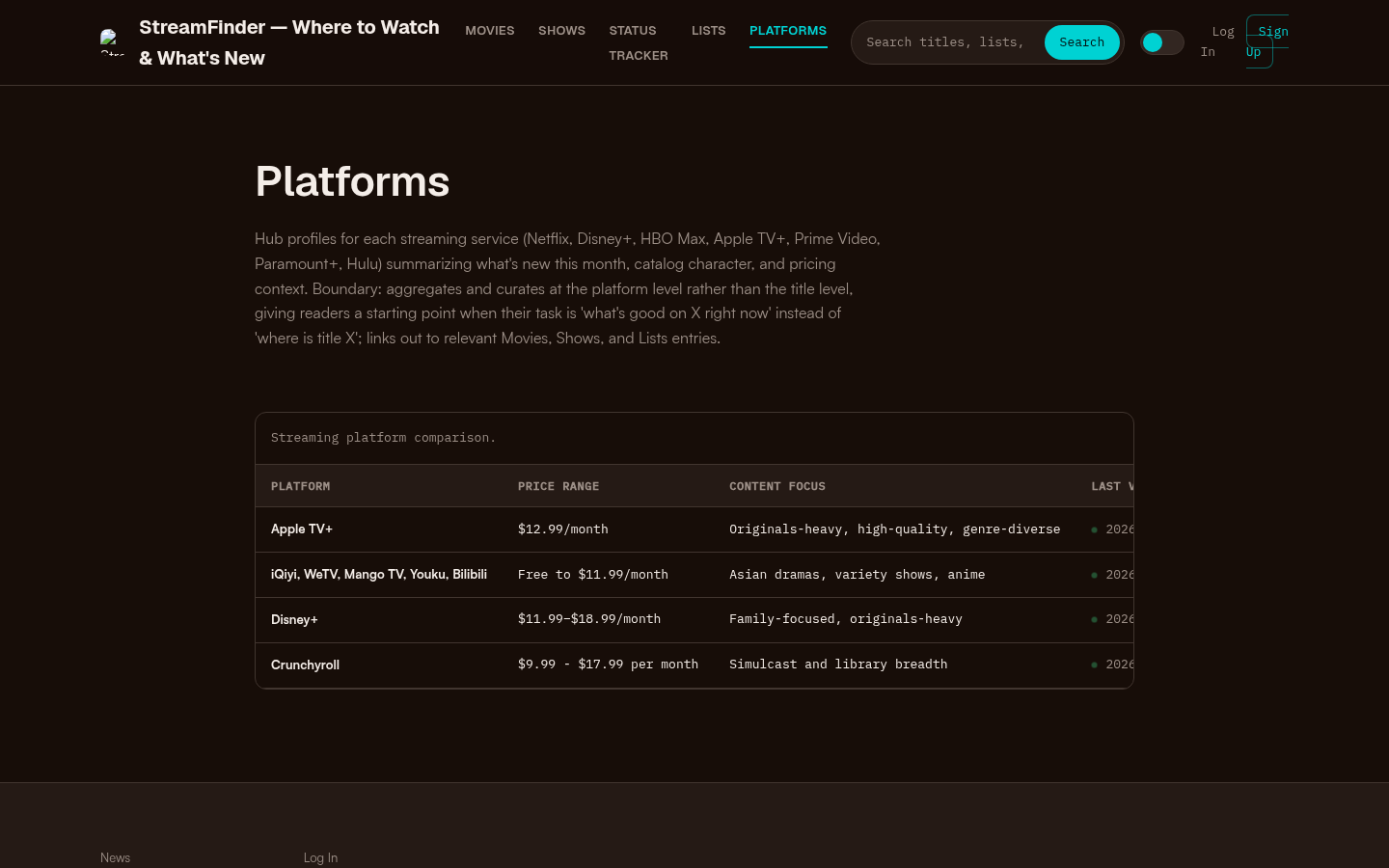
Platforms page with a streaming platform comparison table showing Apple TV+, iQiyi/WeTV/Mango TV/Youku/Bilibili, Disney+, and Crunchyroll with price ranges and content focus.
Quick Decision Checklist
- Cap the monthly entertainment budget before opening any signup page.
- Separate on-demand libraries from live TV/local channel needs.
- Prefer official ads tiers when ads are tolerable; confirm whether “no ads” still allows ads on live/linear content.
- Price bundles whenever two or more apps share an owner ecosystem.
- Enter the home ZIP for every live TV option.
- Keep a cancel/review date for every seasonal subscription.
- Re-check official plan pages at purchase time—promos and list prices move.
Bottom Line
The right streaming service comparison ends with a stack, not a single winner. Most households need one broad library, one franchise or niche specialty, and only sometimes a live TV base. Use the criteria table to eliminate noise, the on-demand and live charts to sanity-check current published pricing, and the profile paths to lock a default mix. Then verify the final numbers on each provider’s official checkout flow and keep only the services that earn their slot in a normal week of watching.