Platform Guides
Where to Watch Movies Online: Legitimate Sites & Options
Last-verified date not yet recorded for this guide.
Find where to watch movies online across subscription streamers, free legal sites, and rent/buy options—plus how to check availability without hopping apps.
Where to Watch Movies Online: Legitimate Sites and Streaming Options
If the question is simply where to watch movies, the practical answer is almost never one website. Movies move between subscription apps, free ad-supported catalogs, and digital rent or buy storefronts—and the right place depends on the title, your country, and whether you want to stream included content or pay once.

This guide covers the main legitimate websites and platforms people use to watch movies online, how to find which service has a specific film, what free options actually mean, and how to keep up with new releases without hopping between five apps.
Quick answer: where people watch movies online
Most viewers land in one of four legitimate lanes:
- Subscription streamers such as Netflix, Disney+, Max, Prime Video, Hulu, Paramount+, Apple TV+, and Peacock for included movie libraries.
- Free ad-supported platforms such as Tubi, Pluto TV, The Roku Channel, Freevee-style catalogs, and similar AVOD services for no-subscription watching.
- Rent or buy storefronts on Prime Video, Apple TV, Google Play/YouTube Movies, Vudu/Fandango at Home, and similar shops when a title is not in any subscription library.
- Library and educational apps such as Kanopy or Hoopla (where available through a public library card) for legal free access with different limits.
There is no single “best” site for every movie. Catalogs rotate, rights differ by country, and a film that streams on one service this month may only be available to rent next month. The durable skill is knowing which lane fits the title, then checking current availability before you start another subscription.
Best websites and platforms to watch movies
Think in categories rather than chasing one forever-correct ranking. These are the main legitimate places people go when they want to watch movies online.
Major subscription streamers
These services are the default answer for many people who already pay monthly and want a large movie library plus originals:
- Netflix — broad movie and series catalog with a heavy original slate; availability is country-specific.
- Disney+ — strong for Disney, Pixar, Marvel, Star Wars, and National Geographic titles, plus partner brands depending on region.
- Max — film library spanning Warner Bros., HBO, and related catalogs in supported markets.
- Prime Video — subscription library plus a large rent/buy store on the same surface.
- Hulu — movies mixed with TV-heavy programming; bundle options matter in the U.S.
- Paramount+, Peacock, Apple TV+ — useful for specific studios, live-event tie-ins, or smaller but high-profile original catalogs.
If your goal is “open one app and browse,” a subscription is usually the least friction. If your goal is “watch this exact movie tonight,” a subscription only helps when that title is currently included.
Free legal websites to watch movies
People searching for websites to watch movies—or phrases like play free movies—often want zero monthly fee. Legal free options usually mean ads, rotating catalogs, and fewer brand-new theatrical hits.
Common legitimate free or freemium destinations include:
- Tubi, Pluto TV, The Roku Channel, and similar free ad-supported services
- Free tiers or free-with-ads catalogs offered by larger platforms in some regions
- Library-powered apps where a card unlocks streaming with borrowing limits
A useful mental model: free services are excellent for discovery, older titles, genre browsing, and low-stakes movie nights. They are a weaker bet if you need a current box-office hit the week it leaves theaters.
Rent and buy storefronts
When a movie is not on any subscription you already pay for, digital transactional video is often cheaper and faster than adding another monthly plan for one title. Major storefronts let you:
- Rent for a limited viewing window
- Buy to keep in a digital locker
This lane is especially common for new movies after theatrical release and before they land on a streamer. Prime Video, Apple TV, Google/YouTube Movies, and similar shops are the usual destinations.
Studio and niche destinations
Some titles live longest—or exclusively—on a brand’s own service or a niche platform:
- Studio-led services for recent theatrical windows
- Anime-focused platforms for that catalog
- Independent or specialty sites for arthouse and festival titles
If a search keeps pointing to one studio app, that is often a rights decision, not a discovery failure.
How to find which service has a specific movie
The painful part of modern movie watching is not playback quality. It is availability fragmentation. A practical workflow looks like this:
1. Start with the exact title and your country
Streaming rights are territorial. A U.S. Netflix hit may be missing in another market, and free services differ even more by region. Always check availability for the country where you will watch.
2. Use a streaming availability lookup before opening five apps
Instead of opening Netflix, then Disney+, then Prime Video, use a discovery tool that aggregates subscription, rent/buy, and free options for a title. Services in this category include JustWatch and similar guides; JustWatch describes itself as a way to find where to watch movies and TV shows across streaming services, with filters for price, genre, release year, and free titles, covering major paid platforms plus free options such as Tubi TV, Pluto TV, and The Roku Channel.
3. Compare total cost, not just sticker price
Ask:
- Is the movie already included in a service I pay for?
- If not, is a one-time rent cheaper than a month of a new subscription?
- Will I watch enough other titles this month to justify adding a plan?
- Is there a free legal option if timing is flexible?
4. Confirm the offer type
“Available” can mean very different things:
| Offer type | What you get | Best when |
|---|---|---|
| Subscription included | Stream with an active plan | You already subscribe or will use the service repeatedly |
| Free with ads | No subscription fee; ads interrupt or surround playback | Budget nights and flexible taste |
| Rent | Time-limited access after payment | One specific title, soon |
| Buy | Longer-term digital ownership in that store’s locker | Titles you rewatch or want independent of subscription churn |
| Leaving soon | Temporary window on a service | You can watch before the rights expire |
5. Recheck before movie night
Rights change. A listicle from last season, a Reddit movie sites list, or an old screenshot can be outdated even when the recommendation was once correct. Treat availability as a live fact, not a permanent attribute of the film.
Free vs paid: what “legal free” actually means
Searches for justwatch free movies online and play free movies usually mix three different intents:
- Truly free legal streams with ads or library credentials
- Included with a subscription the searcher already has
- Unauthorized sites that should be avoided
Stay in the first two lanes. Unauthorized free movie sites create malware, data-theft, and legal risk, and they are outside the scope of any responsible where-to-watch guide.
Trade-offs that matter
- Free AVOD lowers cost but usually raises ad load and narrows how often brand-new hits appear.
- Subscriptions raise monthly cost but reduce per-title friction and often improve offline downloads, profiles, and recommendation quality.
- Rent/buy protects you from subscription sprawl when you only need one film.
- Bundles can change the math: a package that includes multiple apps may beat stacking separate plans—if you will actually use more than one service in the bundle.
A common mistake is adding a full-price subscription for a single movie that could have been rented once for less. Another is assuming “free movie website” automatically means legal. If a site offers current theatrical releases at zero cost with no ads, library partnership, or credible business model, treat that as a red flag.
How to watch new movies without wasting money
“Watch new movies” is a different problem from “find any good movie tonight.” New releases typically move through windows:
- Theaters
- Premium digital rent/buy
- Premium or exclusive streaming windows
- Broader subscription and free catalogs later
Practical tips:
- Decide by urgency. Need it this weekend? Check rent/buy first. Can wait? Track which streamer is most likely to get the studio’s titles later.
- Follow studio patterns, not rumors. Some films favor a specific service because of ownership or output deals. Patterns help; they are not guarantees for every title.
- Use leaving-soon and coming-soon signals. Discovery tools and platform hub pages are better than memory for windows that open and close quickly.
- Avoid stacking too many trials. Trial stacking can work once or twice; as a habit it creates billing surprises and password clutter.
If your household watches new releases constantly, a mix of one or two core subscriptions plus occasional rentals usually beats trying to own every platform.
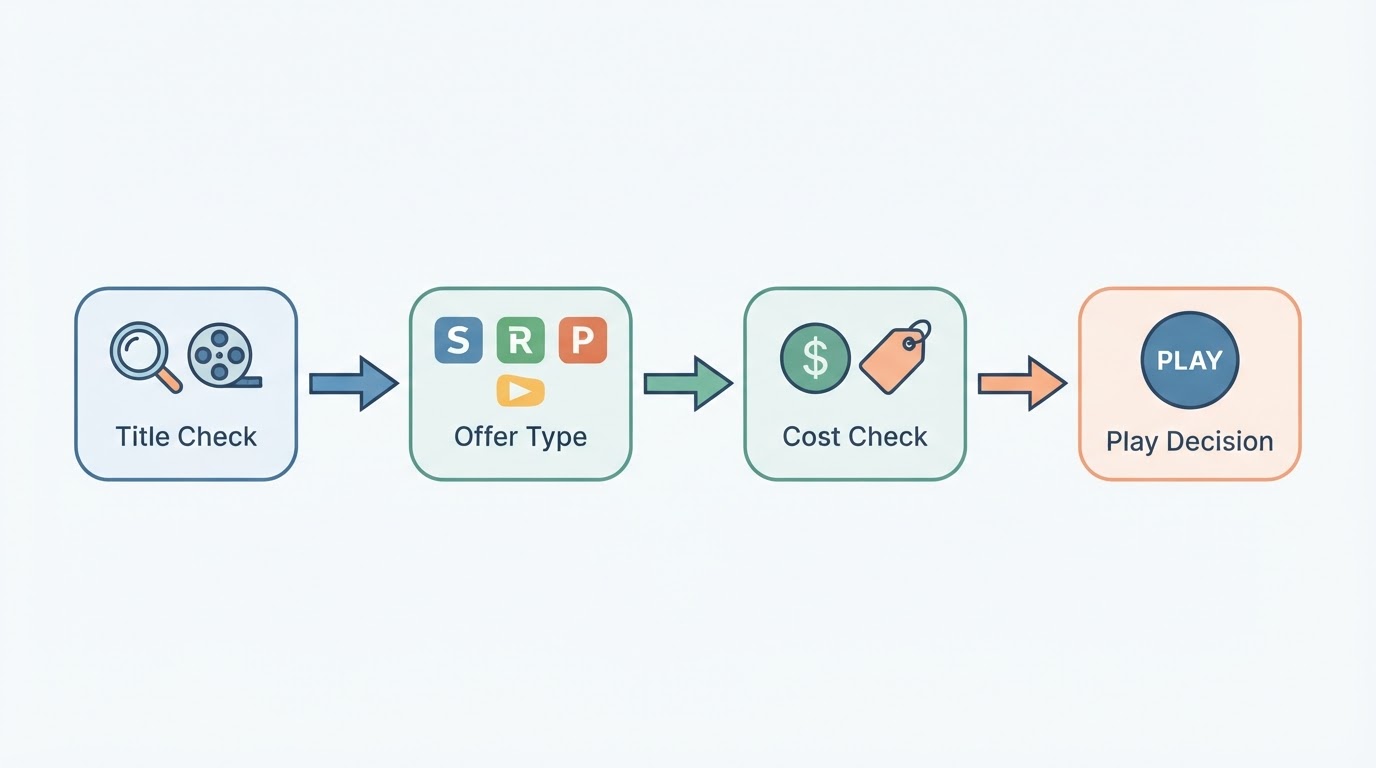
A simple decision framework for any title
Use this when you are stuck:
- Do I already pay for a service that includes it? Watch there.
- Is there a legal free option I can tolerate ads for? Use it if quality and wait time are acceptable.
- Is this a one-off must-watch? Rent or buy.
- Will I watch several titles from the same service this month? Consider a subscription or bundle.
- Am I only seeing unauthorized sites in search results? Change the query toward official platform names or a trusted availability guide.
This framework keeps the focus on legitimate access and total cost instead of endless app hopping.
How a streaming discovery hub helps compare options
Opening every app is slow because each service only advertises its own catalog. A streaming discovery hub answers the cross-service question first: where the title is available now, whether that access is subscription, rent/buy, or free, and whether the window is changing.
StreamFinder on tonightwatch.com positions itself around that job—where to watch, what is new, and status-style updates—with availability and related claims described as verified and dated. In product terms, approved evidence describes structured movie and show pages that can surface subscription, rent/buy, and leaving-soon style availability across major platforms, with last-verified timestamps and platform pricing context. Treat those details as product capabilities that can evolve; the reader value is still the same: one lookup instead of five dead ends.
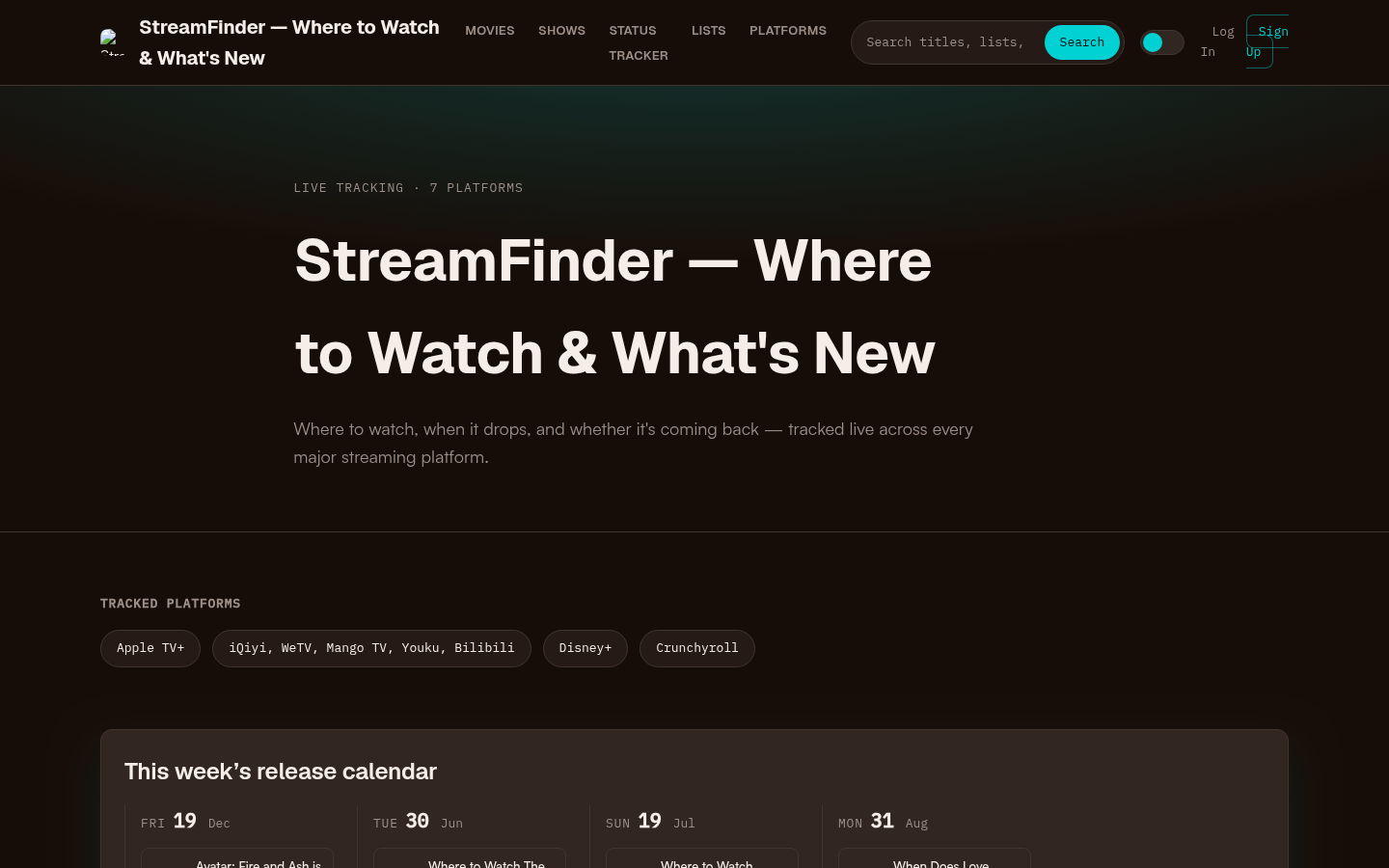
Homepage first screen showing hero section with tagline, tracked platforms (Apple TV+, Disney+, Crunchyroll, etc.), this week's release calendar, trending now section, and recent s
That kind of hub is most useful when:
- You subscribe to multiple services and forget which one has a title
- You want to compare free versus paid options quickly
- You are deciding whether a rental beats a new monthly plan
- You are planning a watchlist around titles that may leave soon
It is less necessary when you only use one platform and rarely care what sits outside that catalog.
Practical setup for fewer “where is it streaming?” nights
A lightweight household setup works better than a perfect one:
- Keep one or two core subscriptions that match the genres you actually finish.
- Bookmark one availability lookup you trust for cross-service checks.
- Keep one free ad-supported app installed for low-stakes browsing.
- Use rent/buy as the escape hatch for new movies and one-off titles.
- Revisit the stack a few times a year. If a service goes unused for months, cancel and rely on rentals until the next title forces a temporary return.
This approach answers where to watch movies as an ongoing system, not a one-time list of websites.
Bottom line
Where to watch movies depends on the title and the access lane that fits your budget and timing. Use major subscription streamers for ongoing libraries, free legal platforms when ads are acceptable, and rent/buy storefronts for specific new or missing titles. Check current availability for your country before you pay again, and use a discovery hub when the alternative is opening every app. Stay on legitimate services—the short-term convenience of unauthorized sites is not worth the security or legal downside.
The winning habit is simple: identify the movie, identify the offer type, compare total cost, then press play.