
Where to Watch TV Shows: Legal Free, Stream, Rent & Buy
Find where to watch TV shows legally—subscription streamers, free ad-supported sites, rent/buy options, and availability search tips without overpaying.
Where to Watch TV Shows: Legal Streaming, Free Options, and Rent/Buy Paths
Looking for where to watch tv shows usually means one of three jobs: find a series on a subscription you already pay for, watch something without another monthly bill, or rent/buy episodes when a title is not included anywhere you keep. The legal map is straightforward—subscription streamers, free ad-supported TV libraries, digital storefronts, and availability search tools—so you can match the job to the right lane instead of hopping between apps at random.
This guide covers those lanes, shows how to check where a specific show is available, and flags the trade-offs that cause people to overpay or juggle too many services. It sticks to legal options only.
Start With the Job, Not the App
Before opening another homepage, name the outcome:
| Viewer job | Best lane | Typical trade-off |
|---|---|---|
| Start a specific show tonight | Availability search → a subscription you already have, then rent/buy | Renting a season can beat stacking another full plan |
| Browse without a new bill | Free ad-supported TV libraries | Ads, thinner new-release windows, regional gaps |
| Keep a deep ongoing series habit | One or two subscription services | Catalogs rotate; “included” is not permanent |
| Catch live episodes or sports-heavy TV | Live TV streamers or hybrid plans | Higher monthly cost than pure on-demand |
A common mistake is starting with “which streaming website is best?” when the real question is “where is this show, for this budget, in my region?” Series catalogs differ by country, seasons can split across platforms, and free versus paid status is title-specific.

Major Subscription Services for TV Shows
Subscription video-on-demand is the default answer when people ask where to watch TV shows. These services bundle large series libraries with originals and ongoing access for a monthly fee. Major names viewers check first include Netflix, Disney+, Hulu, Max, Prime Video, Apple TV+, Paramount+, and Peacock—plus genre-focused options such as Crunchyroll for anime.
What subscription is good for:
- Binge access without paying per episode
- Profiles, continue-watching queues, and multi-device viewing (varies by plan)
- Full-season drops or weekly episode cadences inside one app
What it is not:
- A guarantee that every season of a long-running series sits on one service
- A static library—licensed shows leave when windows end
- Always the cheapest path for a one-off season
Practical rule: If you only need one show this month and it is not on a service you already pay for, compare a digital season purchase or rental against a full new subscription. Stacking plans “just in case” is how series budgets balloon.
Free and Ad-Supported Legal TV Options
If the goal is where can I watch it for free, start with legitimate free ad-supported streaming TV (FAST) and free tiers—not unofficial “watch TV website” clones. Legal free libraries are real, but they are not the same as premium SVOD:
- Ads are part of the model.
- New flagship seasons often arrive later—or only as subscription/rent/buy.
- Selection is strong for catalog series, older seasons, and some exclusives; weaker for every current hit the week it premieres.
- Availability is still region-locked.
Treat free services as a browse-first lane: strong when you are flexible about the title, weaker when you need one specific new season tonight. Search interest around a list of free streaming sites and free TV streaming sites is high, and the safe shortlist is always brand-name legal apps—not random domains that host unlicensed copies. If a site promises every new series free with no ads and no friction, treat that as a red flag.
When a free service does not have the show, jump to an aggregator or a rent/buy storefront rather than chasing unofficial uploads.
Rent and Buy Digital Episodes or Seasons
Transactional video-on-demand—rent or buy—fills the gap when a series is not in your subscriptions and you do not want another monthly plan.
Rent when:
- You need a specific season soon
- You will finish within the rental window
- The rental price is lower than a month of a new service
Buy when:
- You rewatch often
- You want durable access outside a rotating catalog
- Seasons are split or incomplete on the services you already keep
Digital storefronts commonly sit inside ecosystems such as Prime Video’s store, Apple TV, Google TV / Google Play, Vudu/Fandango at Home, and similar apps. Exact windows, pricing, and whether a title is rentable versus buy-only change by region and release. Treat listed prices on the storefront you use as the source of truth the day you check.
How to Check Where a Specific TV Show Is Available
When the question is “where can I stream this series?”, reverse the workflow:
- Search the exact show title in an availability aggregator or a trusted lookup tool, not only inside one app’s search bar.
- Read the access type on each hit: included with subscription, free with ads, rent, or buy.
- Check season coverage. Season 1 on one service and later seasons elsewhere is common for long-running franchises.
- Confirm your country or profile region. The same title can be subscription in one market and rent/buy-only in another.
- Prefer services you already pay for before opening a new plan.
- If nothing fits, compare one-month subscription cost versus buying/renting the season you actually need.
Aggregators such as JustWatch are built for this title-level map across many streaming websites, including major paid apps and free options. A streaming discovery tool like StreamFinder can also help when you want structured availability signals—subscription versus rent/buy, and freshness cues such as last-verified timestamps—across major platforms, based on its product description of live lookup for movies and shows. Use any aggregator as a starting map, then confirm inside the official app or storefront before you hit play or pay.
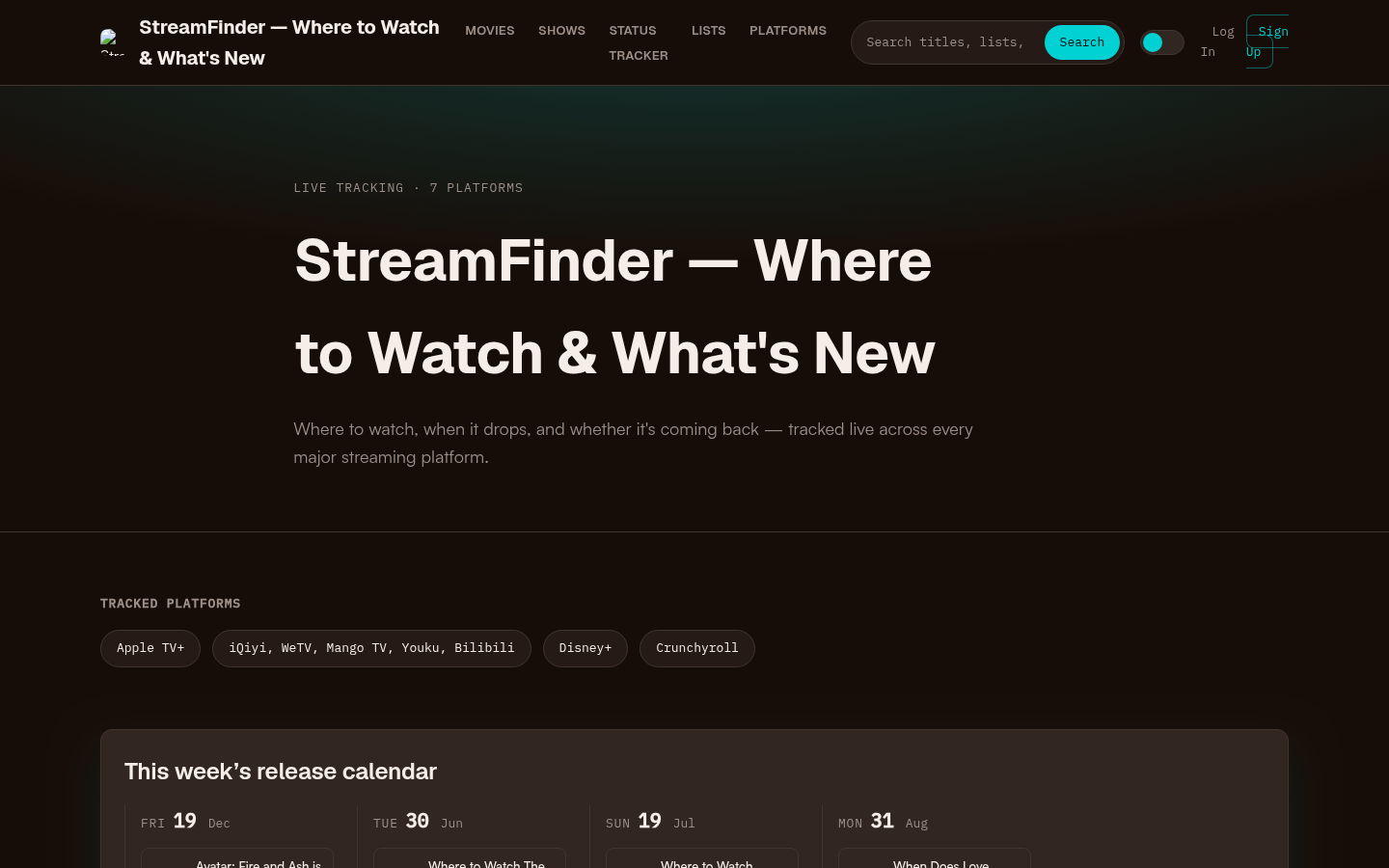
Homepage first screen showing hero section with tagline, tracked platforms (Apple TV+, Disney+, Crunchyroll, etc.), this week's release calendar, trending now section, and recent s
Region and Catalog Reality Checks
Availability is not universal, even on global brands:
- Country catalogs differ. A U.S. Netflix or Disney+ library is not identical to another country’s.
- Travel and account region rules matter. Watching while abroad can change what appears, depending on the service.
- Licenses expire. A show that was “included” last month can move to another platform or to rent/buy only.
- Bundle partners change. Carrier, marketplace, and live-TV packages reshuffle which apps are “free with” a larger plan.
- Live vs on-demand is a different product. Some series air live first and land on-demand later; sports and event TV often need a live package.
If two friends give conflicting answers about where a show streams, they are often both right—for different regions or different weeks.
Choose Services Without Overpaying or App Fatigue
Use a simple decision filter instead of collecting every logo:
- Inventory what you already pay for. Search those apps first for the next three titles on your list.
- Separate “must watch now” from “nice someday.” Only the first group justifies a new bill or a rental.
- Cap active paid apps. Many households do better rotating one premium service per month than keeping four idle.
- Use free legal libraries as overflow, not as a promise that every hit will be free.
- Watch leaving-soon and renewal signals before starting a long series you only half care about.
- Re-check price tiers. Ad-supported plans, student/bundle deals, and annual billing can change the math without changing the catalog lane.
Trade-off to remember: The cheapest path for one show is often not the cheapest path for a whole season of habit. If you bounce between five titles a week, a stable subscription usually beats five separate rentals. If you watch one prestige season a quarter, transactional purchase or a short subscription window usually wins.
A Practical Shortlist of Lanes (Not a Piracy List)
When people search the best streaming websites or a watch TV website, they often want a scannable menu. Use this legal shortlist as a starting grid, then verify the specific title:
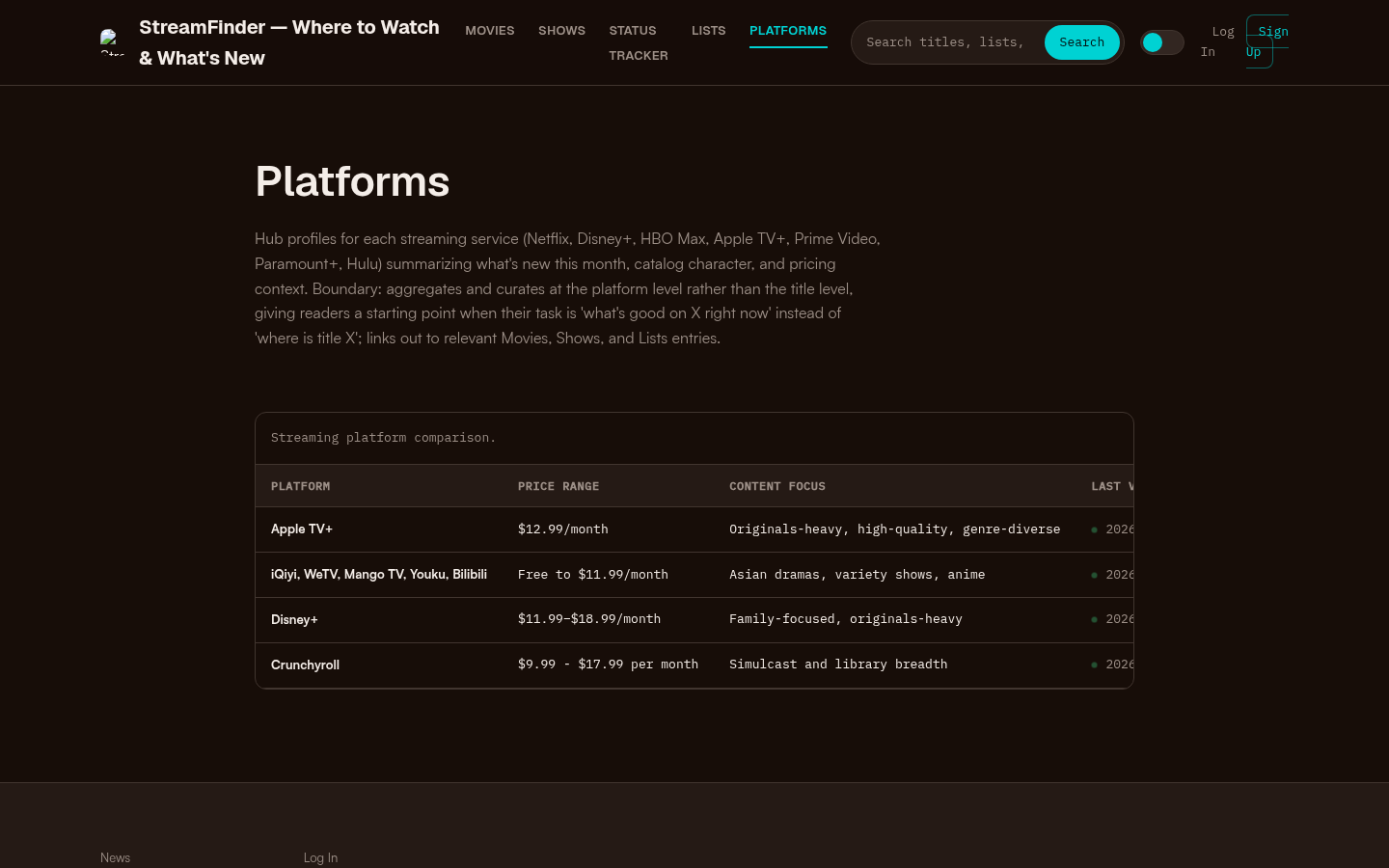
Platforms page with a streaming platform comparison table showing Apple TV+, iQiyi/WeTV/Mango TV/Youku/Bilibili, Disney+, and Crunchyroll with price ranges and content focus.
- Broad subscription series hubs: Netflix, Hulu, Max, Prime Video, Disney+
- Premium/originals-focused add-ons: Apple TV+, Paramount+, Peacock (mix of originals, sports, and library titles varies by plan)
- Genre specialists: Crunchyroll and similar vertical services when your queue is mostly one category
- Free ad-supported TV: Established FAST apps and free tiers from known brands
- Rent/buy storefronts: Apple TV, Prime Video store, Google TV, and peer digital stores
- Availability search: JustWatch-style aggregators and StreamFinder-style lookup when you need the map before the commitment
That grid answers “where do people legally watch TV shows?” without turning into a recommendation list of best series to binge.
Quick Checklist Before You Press Play
- Exact show title and season number confirmed
- Access type labeled (subscription / free with ads / rent / buy)
- Region matches the account you will use
- You already checked services you pay for
- New monthly cost compared with rent/buy for the season you need
- Source is a recognized legal app or storefront
If those boxes are checked, you are done: pick the cheapest acceptable legal path and start the episode. If they are not, keep searching the map—do not settle for unofficial streams that create security, quality, and legal risk.
Bottom Line
Where to watch tv shows is less about finding one “best” app and more about matching a viewer job to the right legal lane. Use subscription services for ongoing series habits, free ad-supported libraries when the title is flexible, rent/buy when you need one season without another monthly plan, and an availability search when the only question that matters is where a specific show lives today. Re-check region and season coverage every time a title matters—catalogs move, and the fastest answer is the one verified for your account right now.