
Streaming Tonight: Find Movies & Shows Worth Watching Now
A fast system for streaming tonight: filter by time and mood, check premieres and Netflix new movies, find free options, and start watching without endless scrolling.
Streaming Tonight: How to Find Movies and Shows Worth Watching Now
When the question is streaming tonight, the goal is not a perfect catalog. It is a fast answer: something available now, on a service already paid for (or free), that fits the remaining evening. This guide gives a repeatable way to find what movies are streaming tonight, spot streaming premieres today, skim the top streaming shows this week, check new and best movies to stream on Netflix, and locate free movies streaming tonight—without endless scrolling.

Start with a 10-minute "tonight" filter
Most failed movie nights start with an open-ended browse. Replace that with four constraints before opening any app:
- Time box — 90 minutes, 2 hours, or a multi-episode sit. A tight window rules out three-hour epics and dense prestige dramas.
- Mood — comfort, comedy, thrills, romance, documentary, or "something easy while cooking." Mood beats genre labels when energy is low.
- Access — list services already subscribed, plus any free/ad-supported apps installed. Do not start on a platform that will force a new signup mid-decision.
- Company — solo, couple, family, kids in the room, or guests. One mismatched viewer turns a short pick into a long debate.
Write those four answers once. Every later search becomes a filter, not a hope.
A simple decision rule
Use this order:
- If energy is low → pick a completed film or a light episode under 45 minutes.
- If the night is planned → pick a premiere, highly rated new arrival, or a show the group already agreed to start.
- If budget matters tonight → stay inside owned subscriptions and free apps; skip rent/buy until nothing else fits.
- If nobody can decide in 10 minutes → default to a known comfort title, not another round of trailers.
The win condition is a started play button, not a perfect match.
How to quickly find movies and shows streaming tonight
Use stacked sources instead of one homepage carousel. Homepages optimize for the platform, not for "what can I finish tonight."
1) Search by title only after a shortlist exists
Start with 3–5 candidate titles from friends, social posts, or a weekly list. Then check where each one streams. Title-first search is faster than browsing rows labeled "Top 10" that change by profile and region.
2) Use each platform's "New" and "Leaving soon" rails
Most major apps surface:
- New arrivals for movies and series added recently
- Coming soon / premieres for dated drops
- Leaving soon for titles about to exit
For a true tonight decision, "new" and "leaving soon" are more useful than generic recommendations. A title leaving in two days can beat a forever-available classic if it was already on the watchlist.
3) Check release calendars and weekly roundups
When the need is broader—"what is new this week," not one specific title—use a dated weekly list or release calendar. Good roundups separate:
- movies newly added to subscription libraries
- series premiere or new-season drops
- free/ad-supported highlights
- notable titles expiring soon
Treat undated "best of all time" pages as backup, not the primary tonight tool.
4) Confirm availability before committing the group
Availability changes by country, bundle, and add-on. Before gathering snacks, confirm:
- subscription vs rent/buy
- included in the current plan tier
- live/sports extras not required for the title
- profile maturity settings if kids are watching
A two-minute confirmation prevents the classic "it's only available to rent" stall.
Streaming premieres today and "new this week" without the noise
Premiere language gets messy. Separate three buckets:
| Bucket | What it means for tonight | How to use it |
|---|---|---|
| Premiere / drop day | First episode, film debut, or season launch on a platform | Best when the household wants a shared event |
| New to the service | Older or theatrical title newly added to the library | Best for movie night with flexible taste |
| Trending this week | High attention right now | Useful social proof; still filter by runtime and mood |
Practical premiere checklist
- Prefer episode 1 of a limited series when attention is high and the cast is already familiar.
- Prefer a standalone film when schedules differ tomorrow.
- Skip day-and-date hype if the title needs theatrical-size attention and tonight is background viewing.
- If a show is mid-season, jump in only when catch-up is realistic; otherwise park it for a weekend binge plan.
For top 10 streaming shows this week, use charts as a shortlist generator, not a ranking to finish. Charts mix returning hits, reality franchises, and one-week spikes. Convert each chart entry into a yes/no against the earlier time/mood/access filters.
Best and new movies to stream on Netflix tonight
Netflix is often the default because the catalog is large and the interface is familiar. That size is also why browsing stalls. Use a Netflix-specific path:
Fast Netflix path
- Open New & Popular (or the local equivalent) before the main home row.
- Skim Top 10 Movies and Top 10 TV only long enough to grab two candidates each.
- Check runtime on the title page immediately.
- If nothing fits in five minutes, search a known director, franchise, or comfort genre instead of returning to the home feed.
What "best movies to stream on Netflix" should mean tonight
"Best" is situational:
- Best for a short night: under ~110 minutes, clear premise, low homework.
- Best for a date night: strong performances, contained story, conversation-friendly ending.
- Best for background viewing: light comedy, competition shows, familiar rewatches.
- Best for a focused watch: critically praised new additions with a definitive ending.
Avoid using all-time prestige lists when the real job is finishing something before bed. A solid B-movie that matches the time box beats an acclaimed three-hour commitment abandoned at minute 40.
New movies to stream on Netflix
When hunting new movies to stream on Netflix, prioritize:
- titles marked new in the last 7–14 days
- films the household already half-recognized from trailers
- non-English hits with strong word of mouth if subtitles are acceptable tonight
If the "new" shelf is thin or mismatched, switch to a completed series with short episodes rather than forcing a mediocre new film.
Free movies streaming tonight
Free does not have to mean low quality, but it does mean different trade-offs.
Where free usually works well
- Ad-supported apps with licensed movies and series
- Free tiers bundled into existing subscriptions or devices
- Library/app partnerships that rotate catalogs
- Platform free hubs that surface ad-supported rows inside a larger app
Free-night trade-offs to expect
- ads that break immersion on tense thrillers
- smaller premium catalogs than paid services
- heavier rotation, so a title may disappear sooner
- stronger catalogs in older films, TV off-network runs, and select acquisitions
A clean free-first workflow
- Decide whether ads are acceptable for tonight's mood.
- Search the shortlist on free/ad-supported apps first if the budget constraint is hard.
- If the free copy is heavily cut, poorly streamed, or missing, escalate to an already-paid subscription—not to an impulse rent—unless the title is the night's non-negotiable pick.
- Keep one fallback comfort title on a free app so the night cannot fail.
Free movies streaming tonight is a great plan when the household is flexible on title and sensitive on spend. It is a weak plan when everyone already agreed on one specific premium premiere.
Build a personal "tonight" shortlist across major services
A durable system beats nightly improvisation.
Keep a living shortlist with three lanes
- Lane A — Ready now: finished films and easy episodes already confirmed on a subscribed or free service.
- Lane B — Event watches: premieres, new seasons, and highly anticipated additions dated for this week.
- Lane C — Someday/soon: interesting titles not yet available, waiting on a friend, or too long for weeknights.
Every evening, draw from Lane A first. Only open Lane B when energy and schedule support it. Lane C is research, not tonight inventory.
Match platform strengths without turning this into a buyer guide
Without comparing plans or live-TV packages, use rough content roles:
- Netflix: broad mainstream movies/series and frequent new drops
- Other major subscription apps (Disney+, Max, Prime Video, Hulu, Apple TV+, Paramount+, and similar): franchise depth, exclusives, and catalog personality that differs by brand
- Free/ad-supported apps: low-friction fillers and older catalog depth
- Rent/buy storefronts: last resort for a must-see title not in any active subscription
The point is matching the night to a shelf the household can already open.
A practical pick matrix for tonight
Use this matrix once the shortlist has 3–6 titles:
| Situation | Prefer | Avoid |
|---|---|---|
| 90 minutes left before sleep | Standalone movie under 110 minutes or one light episode | Multi-episode cliffhangers |
| Split preferences in the room | High-consensus comedy, adventure, or proven comfort title | Polarizing horror or dense lore sequels |
| Want something current | Premiere episode or widely discussed new arrival | Random deep-catalog obscurity |
| Want zero spend beyond current apps | Subscription catalog or free/ad-supported title | Unplanned rental |
| Kids or mixed ages | Clearly age-appropriate completed stories | Autoplay into mature adjacent titles |
| Solo rewatch energy | Familiar favorite with low decision cost | "Should watch" guilt picks |
Completion standard
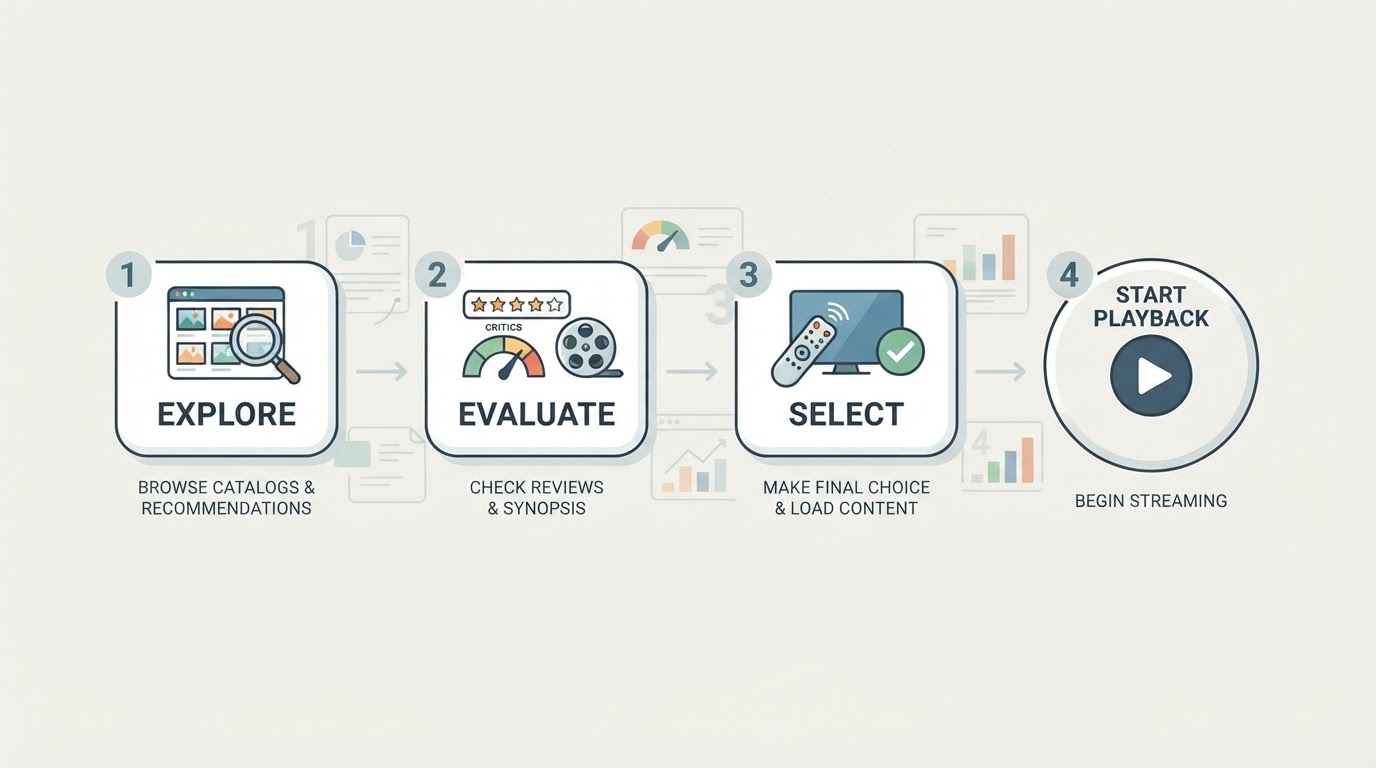
The process is done when:
- one title is selected,
- availability is confirmed on a usable app,
- runtime fits the night,
- playback has started.
If step 4 has not happened in 15 minutes, the process failed—not the catalog. Reset with a Lane A comfort title.
Optional helper: one place to check availability and timing
Jumping between apps works, but it is slow when the household juggles several services. A streaming discovery layer can reduce tab-switching by answering where a title is available and what is newly relevant this week.
StreamFinder is one such option: it is built around where to watch, when a title drops, and related status context across major platforms, with free core lookup positioned for multi-service households. Treat any third-party availability badge as a lead to verify in the official app before starting group playback, because rights windows and regional catalogs move quickly. For entertainment updates, prefer items clearly labeled as confirmed versus reported.
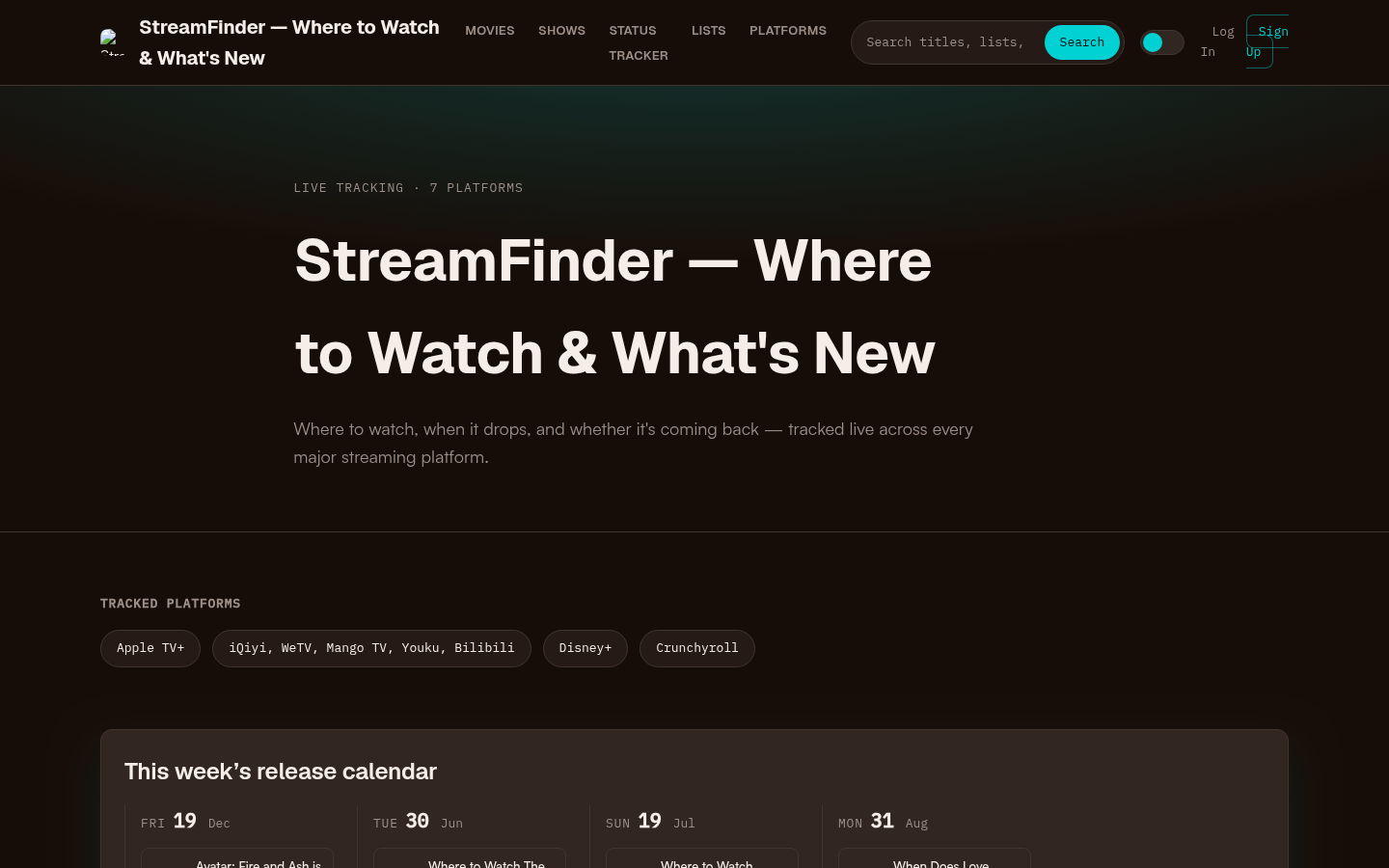
Homepage first screen showing hero section with tagline, tracked platforms (Apple TV+, Disney+, Crunchyroll, etc.), this week's release calendar, trending now section, and recent s
A discovery tool is supporting infrastructure. It does not replace the time/mood/access filter that makes tonight decisions fast.
Common mistakes that waste the evening
- Starting on the loudest homepage row instead of a constrained shortlist
- Confusing "popular this week" with "good for this room tonight"
- Ignoring runtime until 30 minutes into a too-long film
- Letting rent/buy upsells interrupt a free-or-included plan
- Opening five apps with no written constraints
- Abandoning a solid B-title in search of a mythical perfect A-title
Avoid those, and most nights resolve in one short decision cycle.
A reusable tonight checklist
Copy this and reuse it:
- Set time box, mood, access, and company.
- Pull 3–5 candidates from weekly lists, premieres, friends, or a personal Lane A list.
- Confirm where each title streams and whether it is included, free with ads, or paid extra.
- Score candidates against the pick matrix.
- Start playback on the first title that clears the bar.
- If stuck past 10–15 minutes, play a known comfort option.
That is the whole job behind streaming tonight: not knowing every catalog, but running a small process that consistently produces something worth watching now.