
Where to Watch Movies Online: Legal Free, Stream, Rent & Buy
Find where to watch movies online legally—subscription streamers, free ad-supported sites, rent/buy options, and availability search tips without overpaying.
Where to Watch Movies Online: Legal Streaming, Free Options, and Rent/Buy Paths
Looking for where to watch movies online usually means one of three jobs: find a title on a subscription you already pay for, watch something without another monthly bill, or rent/buy a specific film right now. The legal options fall into clear lanes—subscription streamers, free ad-supported services, digital storefronts, and availability aggregators—so you can match the job to the right lane instead of hopping between apps at random.

This guide maps those lanes, shows how to check where a specific movie is available, and flags the trade-offs that cause people to overpay or hit dead ends. It sticks to legal services only.
Start With the Job, Not the App
Before opening another homepage, name the outcome:
| Viewer job | Best lane | Typical trade-off |
|---|---|---|
| Watch a specific title tonight | Availability search → subscription you already have, then rent/buy | Renting is faster than stacking another full plan |
| Browse without a new bill | Free ad-supported movie libraries | Ads, thinner new-release windows, regional gaps |
| Keep a deep ongoing library | One or two subscription services | Catalogs rotate; “included” is not permanent |
| Own or rewatch later | Buy (or physical/digital purchase ecosystems) | Higher upfront cost than a single rental |
A common mistake is starting with “which service is best?” when the real question is “where is this movie, for this budget, in my region?” Catalogs differ by country, licensing windows change, and free/paid status is title-specific.
Major Subscription Services for Movies
Subscription video-on-demand (SVOD) is the default answer when people ask where to watch movies online. These services bundle large movie libraries with originals and ongoing access for a monthly fee. Major names viewers check first include Netflix, Disney+, Prime Video, Max, Hulu, Apple TV+, Paramount+, and Peacock—plus genre-focused options such as Crunchyroll for anime.
What subscription is good for:
- Ongoing access without paying per title
- Browsing and discovery inside one app
- Household profiles and multi-device watching (varies by plan)
What it is not:
- A guarantee that a given theatrical hit is included
- A static library—titles leave when licenses end
- Always the cheapest path for a one-off watch
Practical rule: If you only need one movie this month and it is not on a service you already pay for, compare a digital rental against a full new subscription. Stacking plans “just in case” is how movie budgets balloon.
Free and Ad-Supported Legal Movie Options
If the goal is to watch movies online free, start with legitimate free ad-supported streaming TV (FAST) and free tiers—not unofficial “movie sites.” Legal free libraries are real, but they are not the same as premium SVOD:
- Ads are part of the model.
- New theatrical releases often arrive later—or only as rent/buy.
- Selection is strong for catalog titles, classics, and some exclusives; weaker for every current box-office hit.
- Availability is still region-locked.
Treat free services as a browse-first lane: great when you are flexible about the title, weaker when you need one specific new film tonight. When a free service does not have the title, jump to an aggregator or rent/buy rather than chasing unofficial uploads.
Search intent around a list of free streaming sites is high, and the safe shortlist is always brand-name legal apps and sites—not random domains that host unlicensed copies. If a site promises every new movie free with no ads and no account friction, treat that as a red flag.
Rent and Buy Digital Movies
Transactional video-on-demand (TVOD)—rent or buy—fills the gap when a title is not in your subscriptions and you do not want another monthly plan.
Rent when:
- You need a specific title soon
- You will watch once (or within the rental window)
- The rental price is lower than a month of a new service
Buy when:
- You rewatch often
- You want durable access outside a rotating catalog
- The title is a keep forever film for your household
Digital storefronts commonly sit inside Amazon, Apple, Google/YouTube, Vudu/Fandango at Home, and similar storefronts (exact branding varies by region). Rental windows and quality tiers (HD/4K) differ by store and title; check the offer details before checkout.
Trade-off to name clearly: rent/buy is excellent for precision and poor for open-ended browsing. If you do not know what you want yet, free FAST or a subscription you already have is usually the better first stop.
How to Check Where a Specific Movie Is Available
The fastest reliable workflow:
- Search the title in an availability guide that covers subscription, free, rent, and buy offers.
- Filter by your country first—US results do not apply to other regions.
- Prefer services you already pay for when the title is included.
- Compare free vs rent vs a new subscription only after you know the real options.
- Re-check later if you can wait; windows open and close.
JustWatch is a widely used streaming guide for this job: it helps people find where to watch movies and TV shows across many services in a given country, with browsing and filters (including price-related filters) and free markers on some titles. Coverage is large—the US guide surface lists a very large title set—and it is built around “where can I watch it?” rather than a single platform catalog.
Other discovery tools in the same category exist; the method matters more than the brand: search the title, confirm region, then choose the cheapest legal path that matches how soon you need to watch.
For ongoing multi-service households, a dedicated availability lookup can reduce app-hopping. StreamFinder (on tonightwatch.com) is one example of a streaming discovery product positioned around where a title is available across major platforms, including subscription and rent/buy style signals with verification-oriented presentation. Treat any third-party badge as a starting point and confirm inside the destination app before you hit play—licenses move.
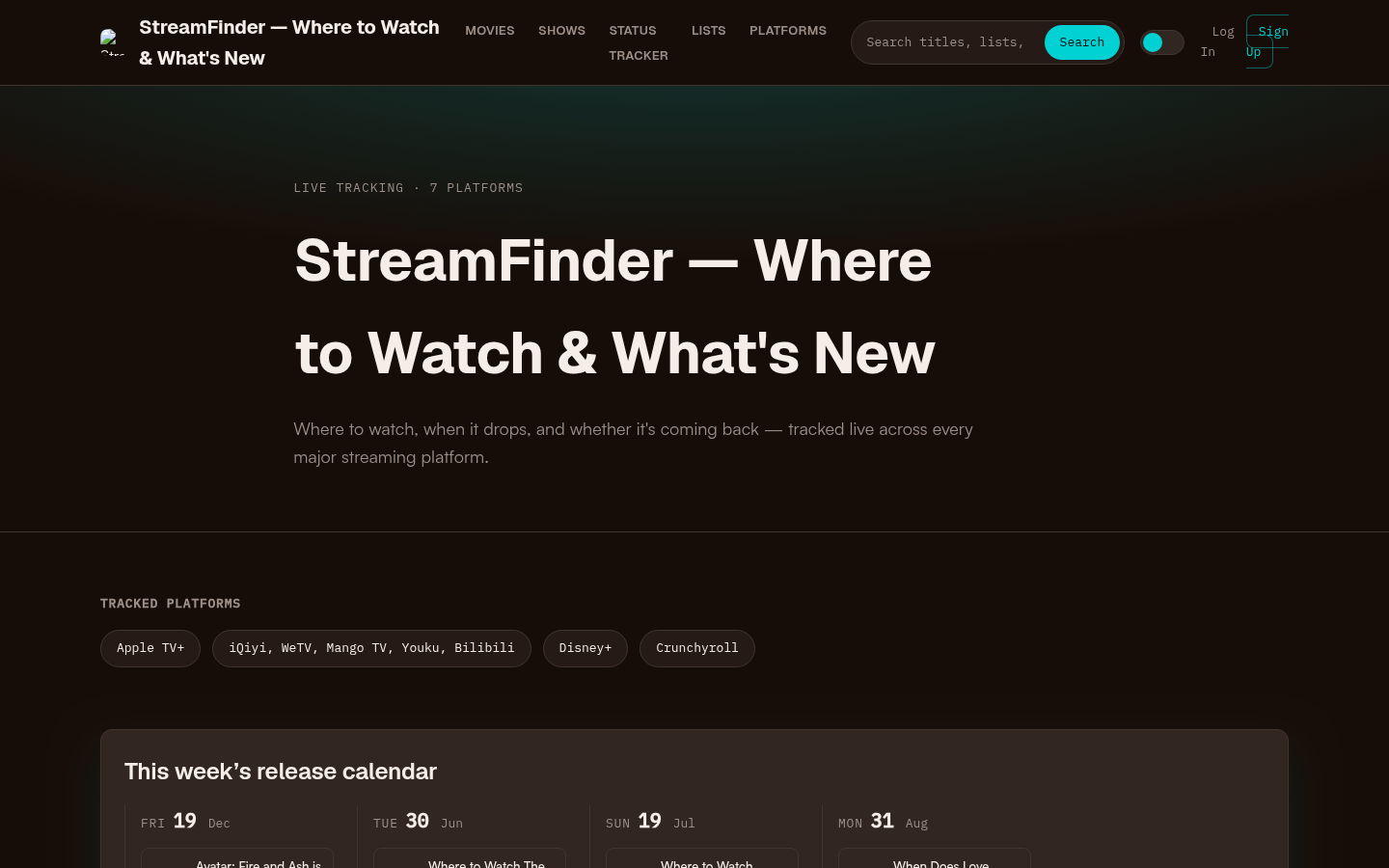
Homepage first screen showing hero section with tagline, tracked platforms (Apple TV+, Disney+, Crunchyroll, etc.), this week's release calendar, trending now section, and recent s
Region and Catalog Differences That Change the Answer
“Where to watch” is almost never global:
- Licensing is territorial. A movie on Netflix in one country may be rent-only—or absent—in another.
- Platform lineups differ. Live TV bundles, sports add-ons, and local streamers change the map outside the US.
- Leaving-soon and arriving-soon windows mean last month’s answer can be wrong today.
- Device and app availability can block a service even when the license exists (smart TV app missing, account region mismatch).
If you travel or use a shared household across regions, always set the guide’s country to the account region that will actually stream the title. VPN workarounds that violate a service’s terms are outside the scope of a legal watching guide and often break payments or accounts.
How to Choose Without Overpaying
Use this decision tree:
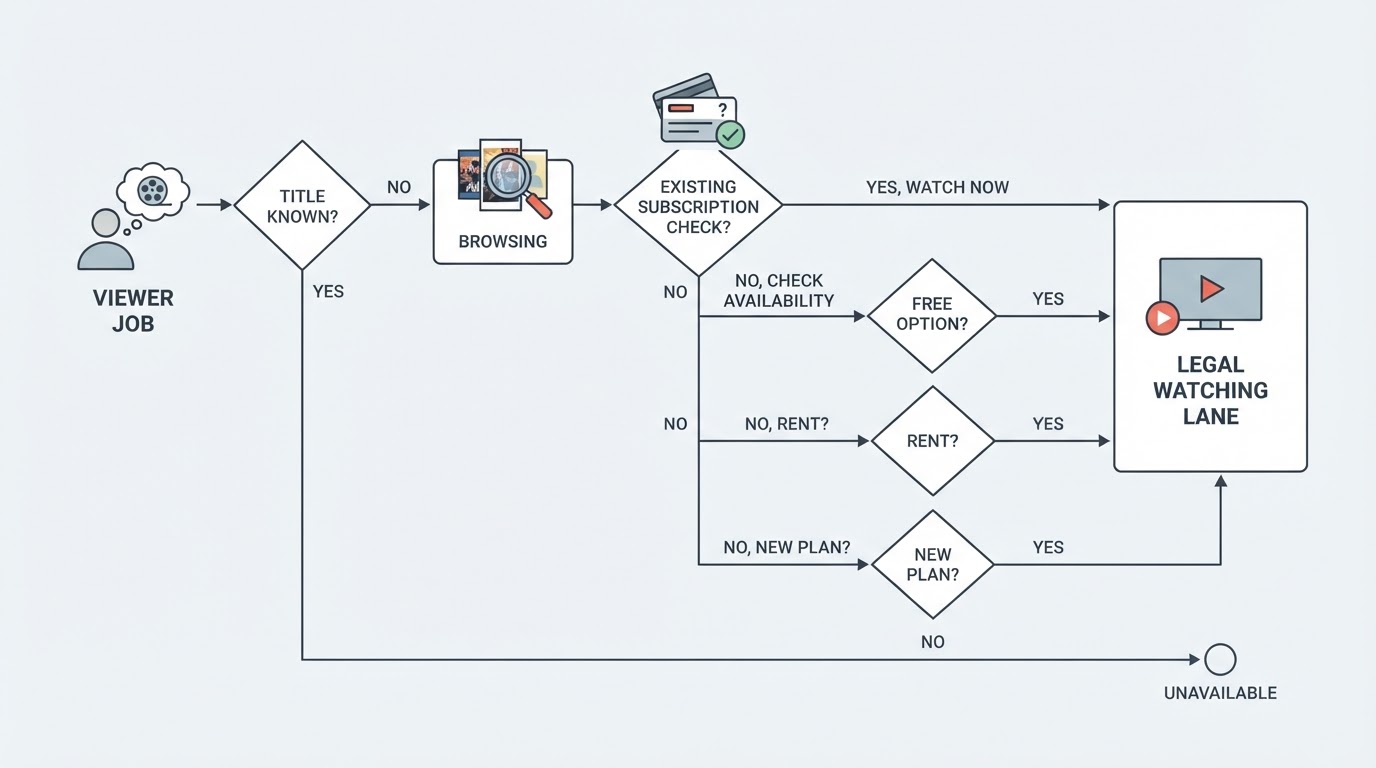
- Already subscribed? Search your existing apps first—or an aggregator filtered to those services.
- Flexible on the title? Start with free legal libraries and finish a movie without a new bill.
- Locked on one title, not on your plans? Compare a single rental to one month of the cheapest service that includes it.
- Watching several films this month on the same service? A subscription can beat repeated rentals.
- Building a permanent shelf? Buy selectively; do not confuse “included with subscription” with ownership.
Budget habits that work:
- Cap the household at the few services that match current watching habits; rotate seasonally instead of stacking everything.
- Use leaving-soon signals so you watch what you already pay for before it disappears.
- Prefer free legal options for casual browsing nights.
- Keep rent/buy for must-see titles outside your stack.
Quick Comparison of Legal Lanes
| Lane | Best for | Cost shape | Main limitation |
|---|---|---|---|
| Subscription (SVOD) | Ongoing movie nights, originals, profiles | Monthly | Rotating catalogs; title may be missing |
| Free ad-supported | Flexible browsing, zero new bill | Free + ads | Weaker for many new releases |
| Rent | One specific title soon | One-time | Limited window; not for endless browsing |
| Buy | Rewatches and ownership | Higher one-time | Expensive if used for one-off curiosity |
| Availability aggregator | Answering “where is it?” fast | Free tier common; pro features may exist | Still need the destination service |
A Simple Night-of-Watching Workflow
- Pick the movie—or decide you are browsing.
- If browsing, open a free legal service or a subscription you already have.
- If title-first, search an availability guide for your region.
- Choose included → free → rent → new subscription, in that order, unless a new plan clearly covers multiple upcoming watches.
- Confirm the offer inside the official app, then play.
That sequence answers where to watch movies online without piracy risk and without defaulting to another unused subscription.
Bottom Line
Legal movie watching online is a map of lanes, not a single “best website.” Subscription services cover ongoing access, free ad-supported apps cover no-new-bill browsing, rent/buy covers precise title demand, and aggregators answer the location question when catalogs are fragmented. Start from the viewer job, check region-correct availability, and escalate cost only when cheaper legal lanes fail. That keeps movie night simple—and keeps every play button on the right side of the law.
Some links to streaming services are affiliate links; we may earn a commission if you sign up through them. See Methodology & Trust for our full disclosure policy.